
SDK API
GM Web SDK API Reference
This document covers the public APIs GM Web SDK exposes for micro-app development. With these APIs, an app can use the interface, file, window and service communication capabilities provided by the GM host app.
Quick start
- Global access: every API is available on the global
$gmobject - Initialization: apps that include a backend service should wait for
$gm.init()to succeed before sending business requests - Compatibility: capabilities can differ between the SDK runtime and the host app version, so check that a method exists before using an optional API
Important
Some APIs injected by the host app change between GMSSH versions. For non-core capabilities, feature-detect with typeof $gm.methodName === "function".
Message notifications
$gm.message provides message notifications in a range of types, including success, warning and error. Every message is rendered by the host app's message API for a consistent result.
Features:
- Multiple message types (info, success, warning, error, loading)
- Custom display duration
- Stays visible while the pointer hovers over it
- Custom icons and render functions
- Batch destroy
Preview: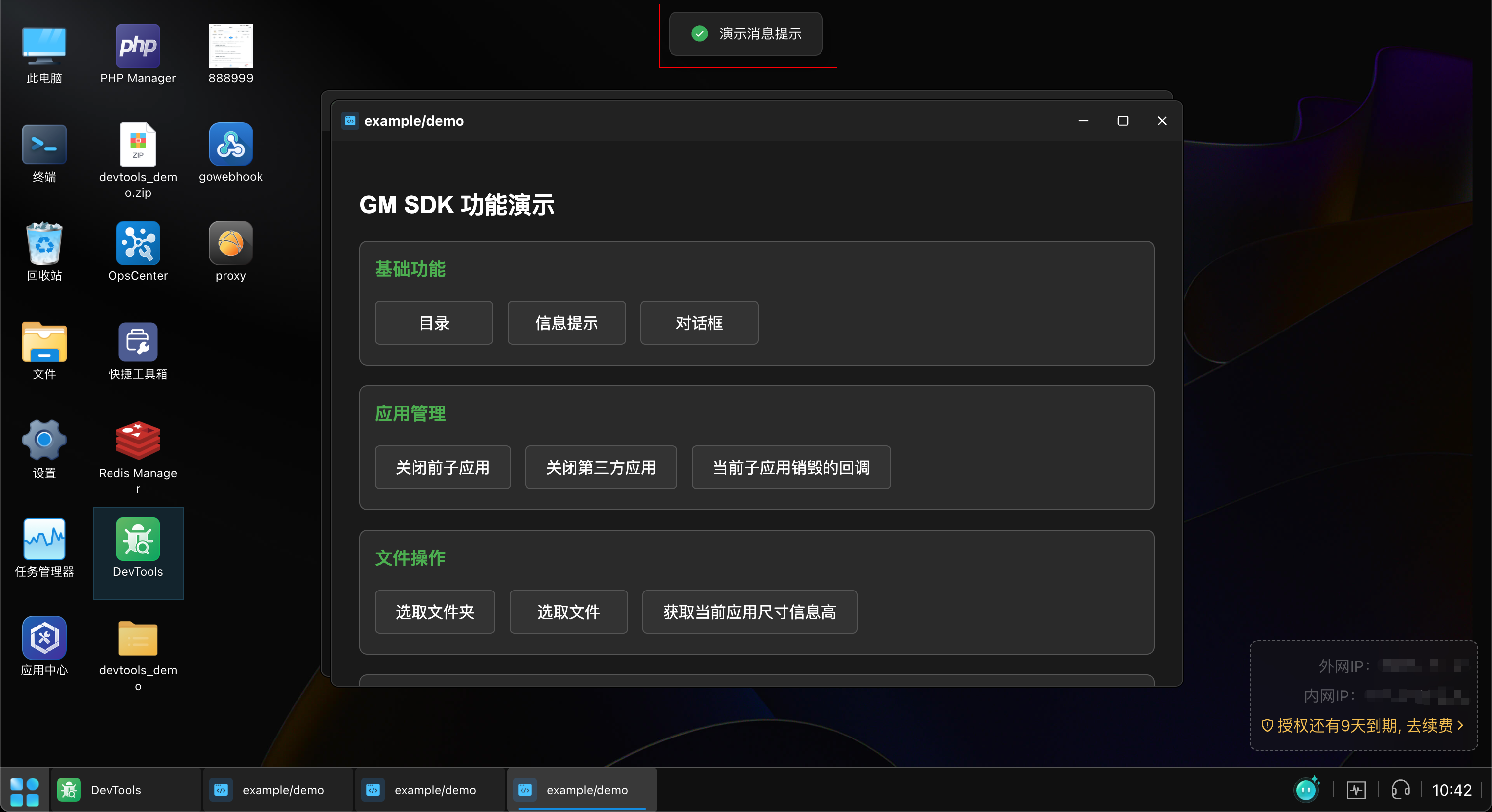
Basic usage:
$gm.message.success("演示消息提示");Parameter reference:
| Name | Type | Description |
|---|---|---|
| destroyAll | () => void | Destroy every message currently shown |
| info | (content: string | (() => VNodeChild), option?: MessageOption) => MessageReactive | Show an info message |
| success | (content: string | (() => VNodeChild), option?: MessageOption) => MessageReactive | Show a success message |
| warning | (content: string | (() => VNodeChild), option?: MessageOption) => MessageReactive | Show a warning message |
| error | (content: string | (() => VNodeChild), option?: MessageOption) => MessageReactive | Show an error message |
| create | (content: string | (() => VNodeChild), option?: MessageOption) => MessageReactive | Create a message of the default type |
| loading | (content: string | (() => VNodeChild), option?: MessageOption) => MessageReactive | Show a loading message |
MessageOption properties
| Name | Type | Description |
|---|---|---|
| closable | boolean | Whether to show the close icon |
| duration | number | How long the message stays on screen |
| icon | () => VNodeChild | Message icon |
| keepAliveOnHover | boolean | Whether the message stays while hovered |
| render | MessageRenderMessage | Render function of the message |
| showIcon | boolean | Whether to show the icon |
| type | 'info' | 'success' | 'warning' | 'error' | 'loading' | 'default' | Message type |
| onAfterLeave | () => void | Callback when the leave animation ends |
| onClose | () => void | Callback when the close icon is clicked |
| onLeave | () => void | Callback when the message starts to leave |
Dialog
$gm.dialog provides full-featured dialog components for several kinds of interactive dialog. Every dialog is rendered by the host app's dialog API, so it matches the system interface style.
Features:
- Multiple dialog types (info, success, warning, error)
- Rich custom options (title, content, buttons and more)
- Close on mask click and on ESC
- Click callbacks may return a value synchronously or a Promise
- Flexible render functions
Preview: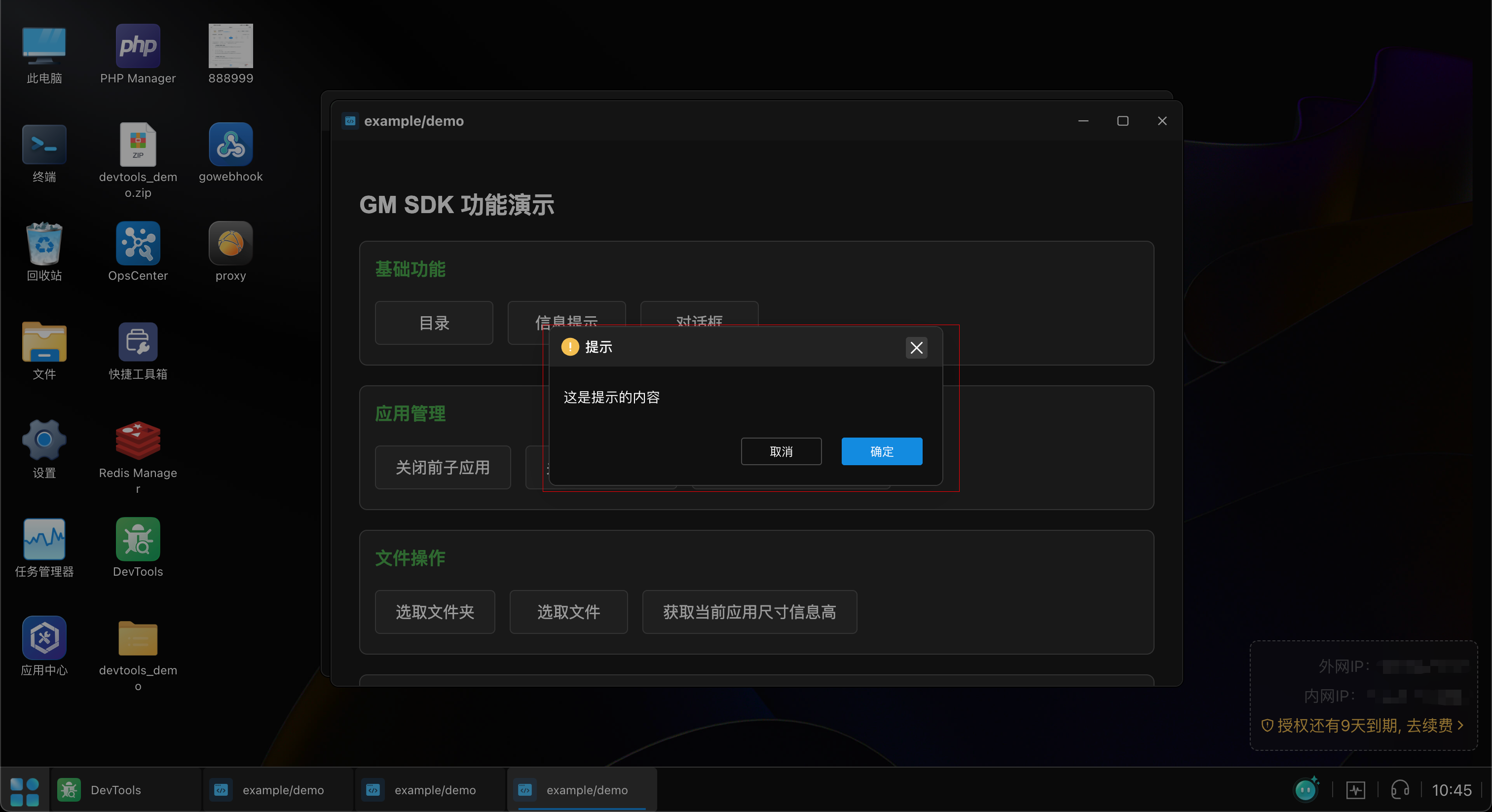
Basic usage:
$gm.dialog.warning({
  title: "提示",
  content: "这是提示的内容",
  positiveText: "确定",
  negativeText: "取消",
  maskClosable: false,
  onPositiveClick: () => {
    console.log("确定");
  },
});
Dialog methods
| Name | Type | Description |
|---|---|---|
| destroyAll | () => void | Destroy every dialog currently shown |
| create | (options: DialogOptions) => DialogReactive | Create a dialog; the type comes from options.type |
| error | (options: DialogOptions) => DialogReactive | Create an error dialog |
| info | (options: DialogOptions) => DialogReactive | Create an info dialog |
| success | (options: DialogOptions) => DialogReactive | Create a success dialog |
| warning | (options: DialogOptions) => DialogReactive | Create a warning dialog |
DialogOptions properties
| Name | Type | Default | Description |
|---|---|---|---|
action | () => VNodeChild | undefined | Render function for the action area. When set, it replaces the default button area. |
actionClass | string | Array<string | undefined> | undefined | Class name of the action area. |
actionStyle | string | CSSProperties | undefined | Inline style of the action area. |
autoFocus | boolean | true | Whether to focus the first focusable element when the dialog opens. |
blockScroll | boolean | true | Whether to block scrolling of the page body while the dialog is open. |
bordered | boolean | false | Whether to show a border around the dialog. |
class | any | undefined | Class name of the dialog root element. |
closable | boolean | true | Whether to show the close icon. |
closeOnEsc | boolean | true | Whether pressing Esc closes the dialog. |
content | string | (() => VNodeChild) | undefined | Dialog content; accepts text or a render function. |
contentClass | string | Array<string | undefined> | undefined | Class name of the content area. |
contentStyle | string | CSSProperties | undefined | Inline style of the content area. |
icon | () => VNodeChild | undefined | Render function for the icon. |
iconPlacement | 'left' | 'top' | 'left' | Position of the icon relative to the title and content. |
loading | boolean | false | Whether the confirm button shows a loading state; while loading, the confirm button is unavailable. |
maskClosable | boolean | true | Whether clicking the mask closes the dialog. |
negativeButtonProps | ButtonProps | undefined | Properties of the cancel button. |
negativeText | string | undefined | Text of the cancel button; when not set, no cancel button is shown. |
positiveButtonProps | ButtonProps | undefined | Properties of the confirm button. |
positiveText | string | undefined | Text of the confirm button; when not set, no confirm button is shown. |
showIcon | boolean | true | Whether to show the icon. |
style | string | CSSProperties | undefined | Inline style of the dialog root element. |
title | string | (() => VNodeChild) | undefined | Title; accepts text or a render function. |
titleClass | string | Array<string | undefined> | undefined | Class name of the title area. |
titleStyle | string | CSSProperties | undefined | Inline style of the title area. |
transformOrigin | 'mouse' | 'center' | 'mouse' | Transform origin of the dialog animation. |
type | 'default' | 'info' | 'success' | 'warning' | 'error' | 'default' | Dialog type. Calling info, success, warning or error overrides it with the matching method. |
onAfterEnter | () => void | undefined | Callback after the enter animation finishes. |
onAfterLeave | () => void | undefined | Callback after the leave animation finishes. |
onClose | () => unknown | Promise<unknown> | undefined | Triggered when the close icon is clicked; return or resolve false to prevent closing. |
onEsc | () => void | undefined | Triggered when Esc is pressed. Whether the dialog closes is still controlled by closeOnEsc. |
onNegativeClick | (e: MouseEvent) => unknown | Promise<unknown> | undefined | Triggered when the cancel button is clicked; return or resolve false to prevent closing. |
onPositiveClick | (e: MouseEvent) => unknown | Promise<unknown> | undefined | Triggered when the confirm button is clicked; return or resolve false to prevent closing. |
onMaskClick | (e: MouseEvent) => void | undefined | Triggered when the mask is clicked. |
DialogReactive carries the full reactive configuration of the dialog plus a read-only key and destroy(). Use the returned value to update the title, the content or the loading state, and to close the dialog yourself:
const dialog = $gm.dialog.warning({
  title: "提示",
  content: "正在处理,请稍候",
  positiveText: "确定",
  loading: true,
});

dialog.content = "处理完成";
dialog.loading = false;
dialog.destroy();
Close the current micro-app
$gm.closeApp asks the host app to close the current micro-app window.
When to use:
- Leaving voluntarily after the app finishes its task
- Closing the app in response to a user action
- Exiting safely as part of error handling
Note
After this call the current app is closed immediately, so make sure important data is saved first.
Basic usage:
$gm.closeApp();| Name | Type | Description |
|---|---|---|
| closeApp | () => void | Close the current micro-app |
Close a specific app
$gm.closeOtherApp closes an open window that matches the given app identifier.
When to use:
- App manager features
- Workflow control
- Resource management and cleanup
App name format
The app name uses the {developer-name}/{app-name} format, for example myorg/myapp.
Basic usage:
$gm.closeOtherApp("official/example");| Name | Type | Description |
|---|---|---|
| closeOtherApp | (name: string) => void | name is the app identifier in {developer-name}/{app-name} format |
Choose a folder
$gm.chooseFolder opens the GMSSH server folder picker. You can pass an initial path, and when the selection is done the callback receives the absolute server path.
Features:
- GMSSH server folder picker
- Supports a default starting path
- Callback returns the selection
When to use:
- Choosing a project directory
- Choosing where to save files
- Setting up a workspace
- Target directory for batch file operations
Preview: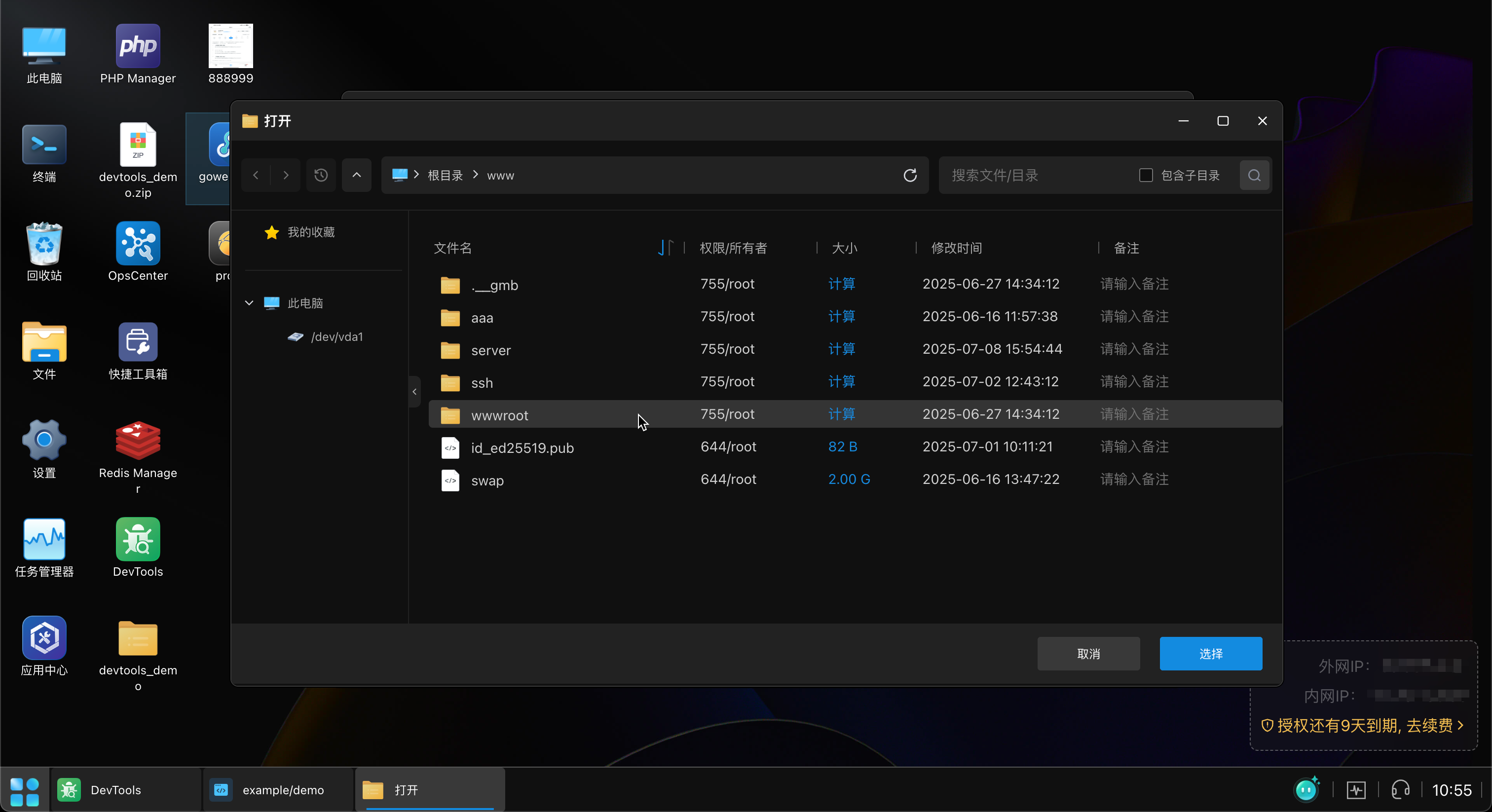
Basic usage:
$gm.chooseFolder((res) => {
  console.log("选择文件夹成功", res);
}, "/www");| Name | Type | Description |
|---|---|---|
| chooseFolder | (callback: (path: string) => void, initialPath?: string) => void | Choose a server folder; initialPath defaults to / |
Choose a file
$gm.chooseFile opens the GMSSH server file picker. You can pass an initial path, and when the selection is done the callback receives the absolute server path.
Features:
- GMSSH server file picker
- Supports a default starting path
- Callback returns the selection
When to use:
- Choosing a configuration file
- Importing files
- File processing and analysis
- Choosing media files
Preview:
Basic usage:
$gm.chooseFile((res) => {
  console.log("选择文件成功", res);
}, "/www");| Name | Type | Description |
|---|---|---|
| chooseFile | (callback: (path: string) => void, initialPath?: string) => void | Choose a server file; initialPath defaults to / |
Get the current app window size
$gm.getRectSize returns the width and height of the last micro-app window size the SDK received.
Preview: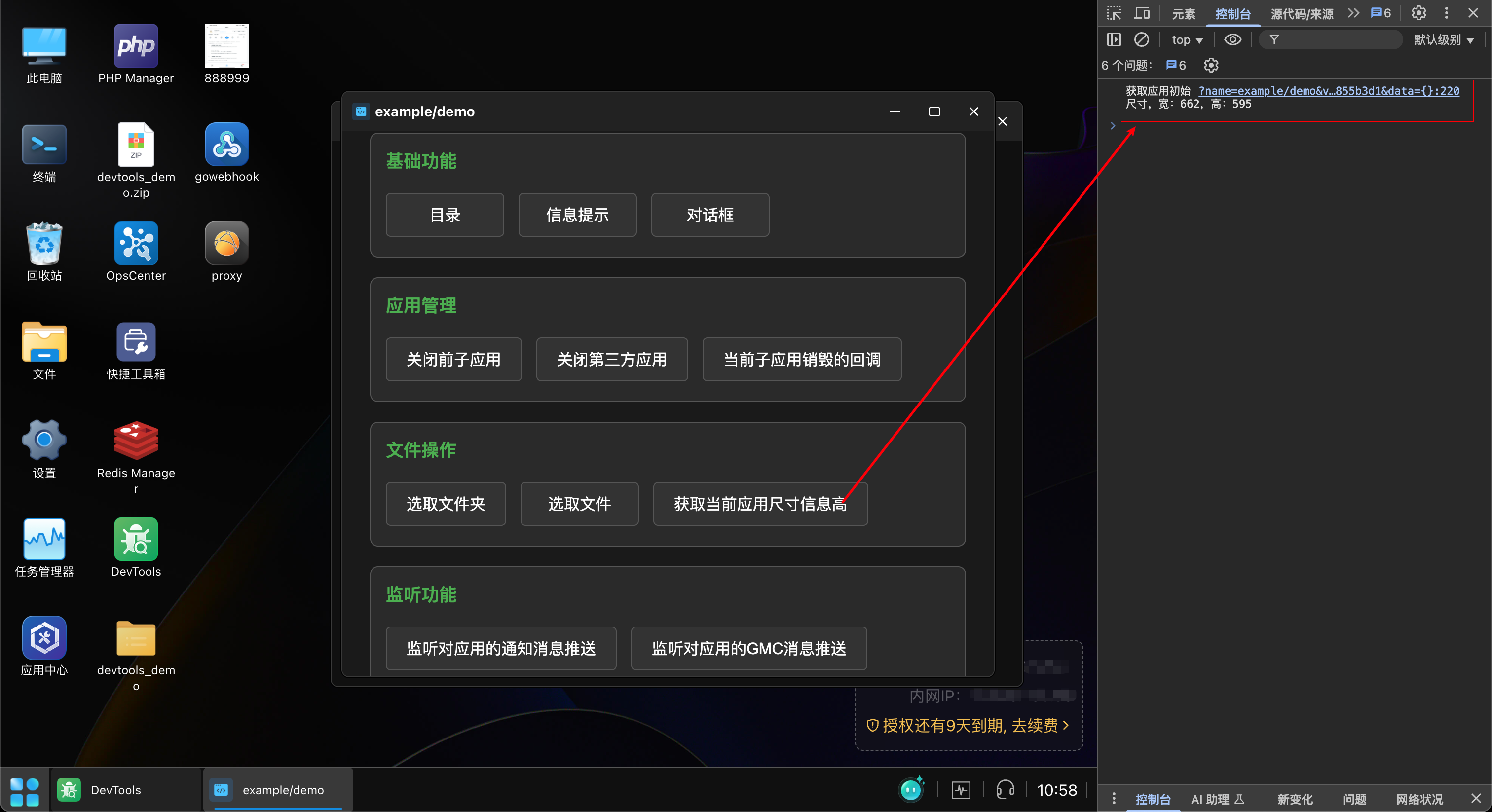
Basic usage:
const { width, height } = $gm.getRectSize();
console.log("获取应用初始尺寸,宽:" + width + ",高:" + height);| Name | Type | Description |
|---|---|---|
| getRectSize | () => { width: number; height: number } | Get the last received window size |
When to call
The initial width and height inside the SDK are 0. If the first resize message from the host app has not arrived yet, getRectSize() may return { width: 0, height: 0 }. Register childRectListener as well when you need the size reliably.
Listen for GMC messages pushed to the app
$gm.mainGMCListener receives GMC messages sent by the host app. This capability only applies to apps that receive GMC messages.
Basic usage:
$gm.mainGMCListener((res) => {
  console.log("收到主应用推送的GMC消息", res);
});| Name | Type | Description |
|---|---|---|
| mainGMCListener | (callback: (message: unknown) => void) => void | Listen for GMC messages the host app sends to the current micro-app |
Registration
The SDK keeps only one GMC callback at a time. Calling mainGMCListener again replaces the previous callback, and the current implementation returns no function to unsubscribe.
Listen for server activation state
$gm.serveActiveListener receives the server activation state sent by the host app.
$gm.serveActiveListener((status) => {
  console.log("服务器激活状态:", status);
});| Name | Type | Description |
|---|---|---|
| serveActiveListener | (callback: (status: number) => void) => void | Listen for server activation state changes |
The SDK keeps only one state callback at a time; registering again replaces the previous callback.
Send a message to the host app
$gm.emitParent is the low-level bridge that sends postMessage messages to the host app.
$gm.emitParent({
  type: "customEvent",
  data: { id: "task-1" },
});| Name | Type | Description |
|---|---|---|
| emitParent | (message: unknown) => void | Send one message to the host app |
Limitation
Use it only when the host app explicitly implements the matching message protocol. If the SDK already provides a dedicated method, call that method instead.
Listen for live child app window size changes
$gm.childRectListener listens for width and height changes of the micro-app window.
Preview: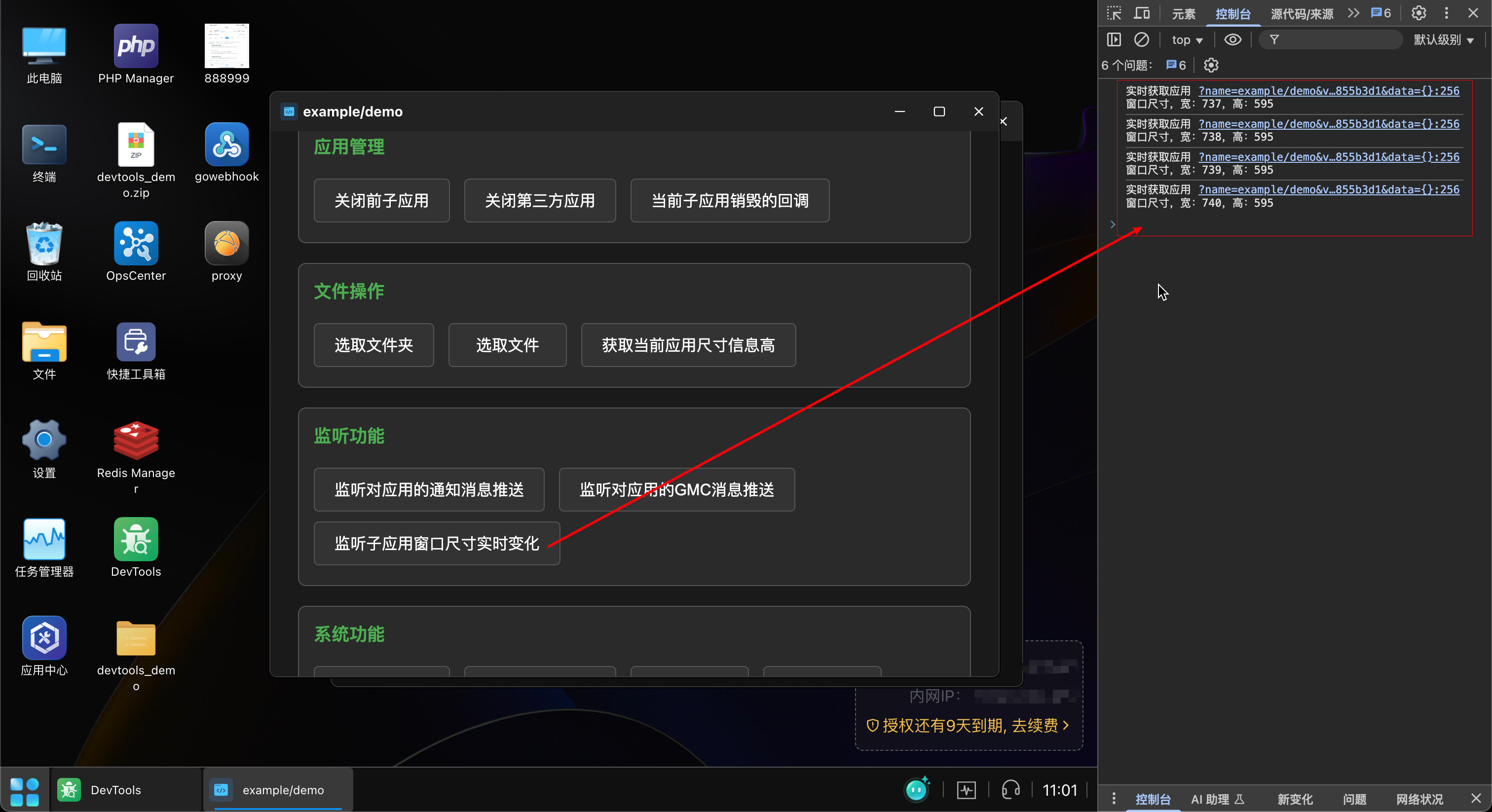
Basic usage:
const unsubscribe = $gm.childRectListener((res) => {
  const { width, height } = res;
  console.log("实时获取应用窗口尺寸,宽:" + width + ",高:" + height);
});

// Unsubscribe when you no longer need the listener
unsubscribe();| Name | Type | Description |
|---|---|---|
| childRectListener | (callback: (v: { width: number; height: number }) => void) => () => void | Listen for child app window size changes and return an unsubscribe function |
Open the file system
$gm.openFolder opens the given directory on the connected server in the GMSSH File Manager.
Preview: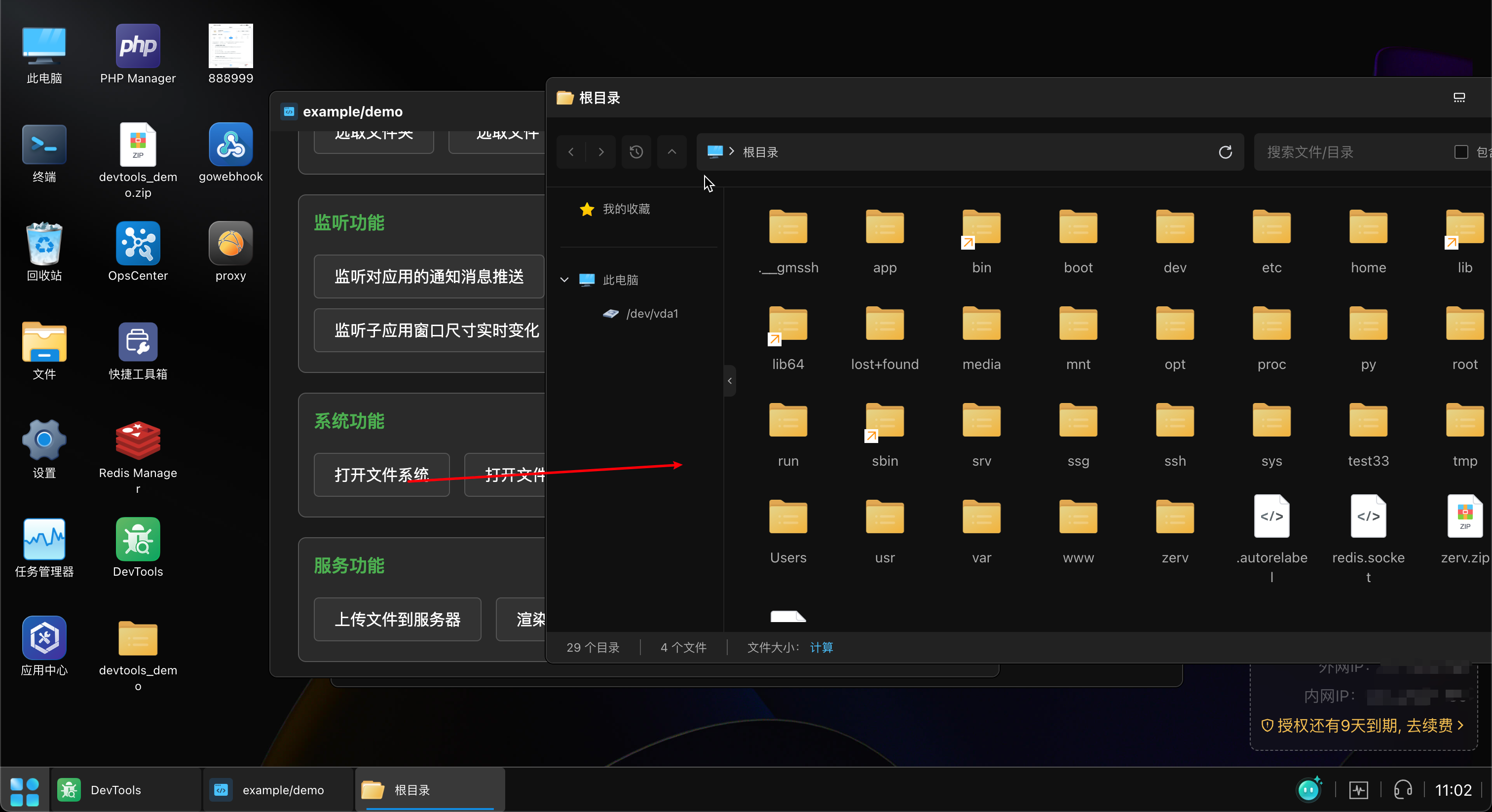
Basic usage:
$gm.openFolder("/");| Name | Type | Description |
|---|---|---|
| openFolder | (path: string) => void | path is the folder path on the connected server |
Open the file editor
$gm.openCodeEditor opens the given file on the connected server in the GMSSH code editor.
Preview: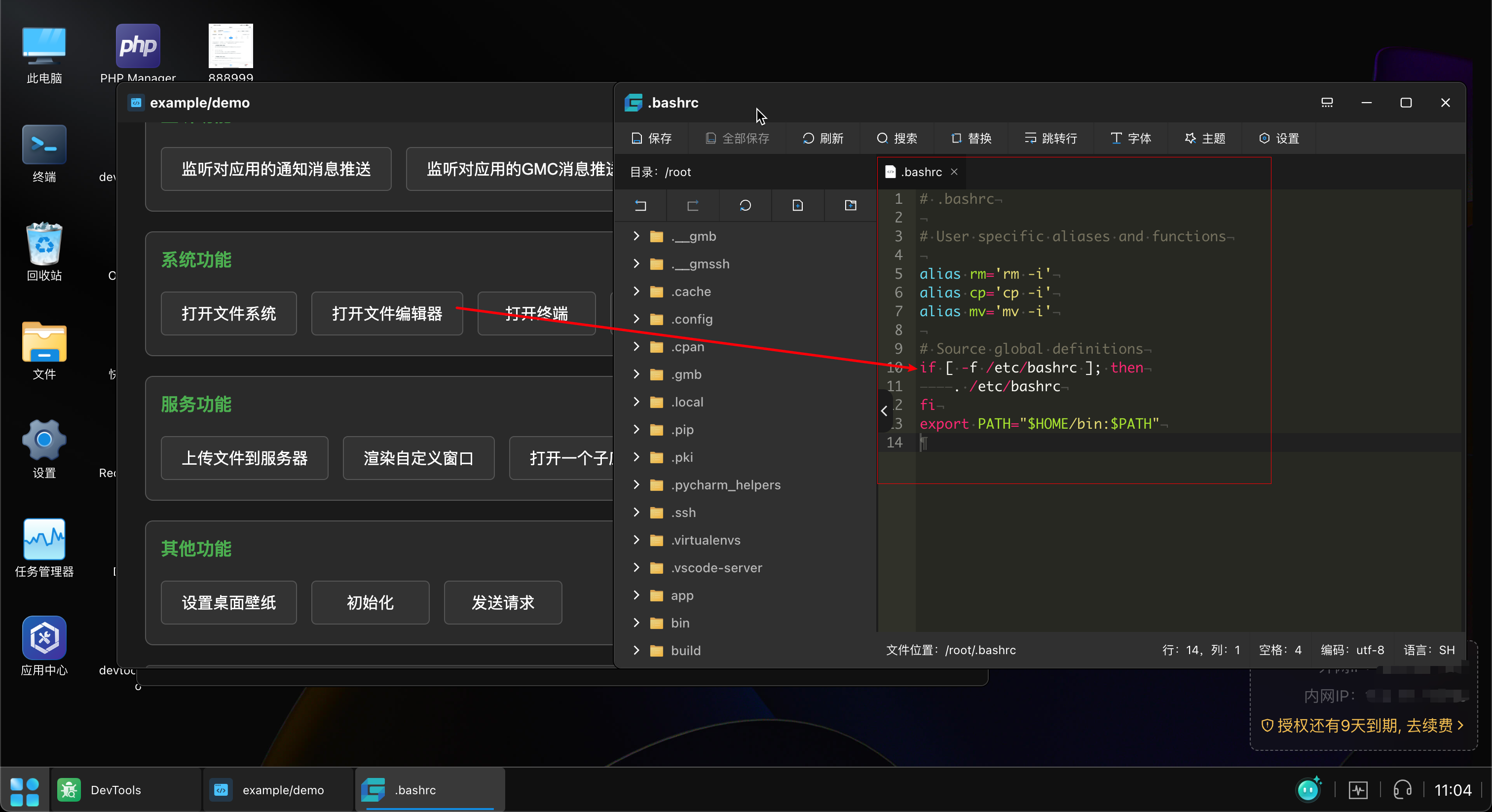
Basic usage:
$gm.openCodeEditor("/root/.bashrc");| Name | Type | Description |
|---|---|---|
| openCodeEditor | (path: string) => void | path is the file path on the connected server |
Open a terminal
$gm.openShell opens the GMSSH terminal and passes an array of commands to it.
Preview: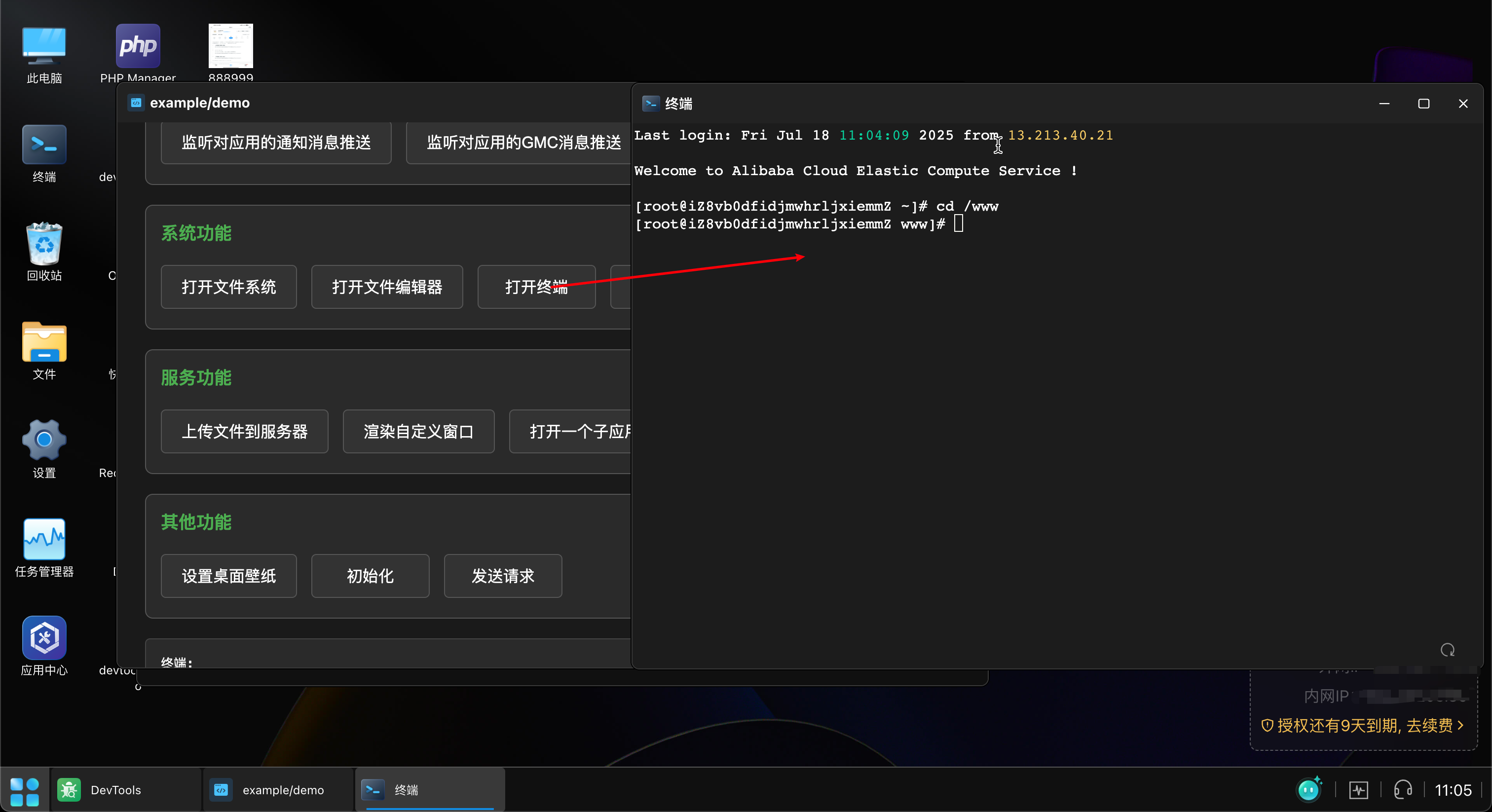
Basic usage:
$gm.openShell({ arr: ["cd /www\n"] });| Name | Type | Description |
|---|---|---|
| openShell | (options: { arr: string[] }) => void | Open a terminal; arr is the array of commands passed to the terminal |
Security
Do not concatenate unvalidated user input, URL parameters or server error text directly into a command.
Open the log window
$gm.openLog opens the GMSSH log window. fun is called when the window opens; with flushed enabled, the log window calls fun again on a timer.
Preview:
Basic usage:
$gm.openLog("应用日志", {
  fun: () => {
    return Promise.resolve({
      content: "日志内容 " + new Date().toLocaleTimeString(),
      end: false,
    });
  },
  flushed: true,
  control: [
    {
      label: "确认",
      type: "negative",
      fun: () => {
        console.log("确认");
      },
    },
  ],
});| Name | Type | Description |
|---|---|---|
| openLog | (name: string, initData: InitData) => void | Open the log window; name is the window title |
InitData
| Property | Type | Required | Description |
|---|---|---|---|
fun | () => void | Promise<{ content: string; end?: boolean }> | Yes | Fetches the log content. When it returns a Promise, content is displayed as the log and end: true stops polling. |
flushed | boolean | No | Whether to refresh the log on a timer; defaults to false. |
control | Control[] | No | Custom action buttons. |
delFun | () => Promise<unknown> | No | Called when the log is cleared; when set, the log window offers a clear action. |
Control
| Property | Type | Required | Description |
|---|---|---|---|
label | string | Yes | Button text. |
fun | () => void | Yes | Button click callback. |
disabled | boolean | No | Whether the button is disabled; defaults to false. |
type | string | No | Button type. When the value is negative, the button is enabled again once the log returns end: true. |
Upload files to the server
$gm.openUpload opens the GMSSH upload window to upload the files selected in the browser to a directory on the connected server.
Features:
- Single-file and multi-file upload
- Live upload progress
- Chunked upload
- Upload progress and speed display
- Pause, resume or cancel while the upload window is open
- Optional result callback per file
Preview:
Basic usage:
const getWinFiles = async () => {
  // Create a file selection element
  const input = document.createElement("input");
  input.setAttribute("type", "file");
  input.hidden = true;
  input.multiple = true;
  document.body.appendChild(input);
  input.click();
  return await new Promise((resolve) => {
    input.addEventListener("change", (e) => {
      const files = e.target.files || [];
      document.body.removeChild(input);
      resolve(files);
    });
  });
};
const files = await getWinFiles();
$gm.openUpload({
  files,
  path: "/www",
  func: (e) => {
    console.log(e);
  },
});| Name | Type | Description |
|---|---|---|
| openUpload | (options: UploadOptions) => void | Open the upload window |
UploadOptions
| Property | Type | Required | Description |
|---|---|---|---|
files | FileList | File[] | Yes | Browser file objects to upload. |
path | string | Yes | Target folder path on the connected server. |
func | (result: UploadResult) => void | No | Triggered when each file finishes uploading successfully or with an error. |
UploadResult has the shape { name: string; path: string; status: "success" | "error" }, where path is the target folder path.
Set the desktop wallpaper
$gm.setDesktopWallpaper sets the given image URL as the GMSSH desktop background. The image address must be a URL reachable from the current environment.
Preview: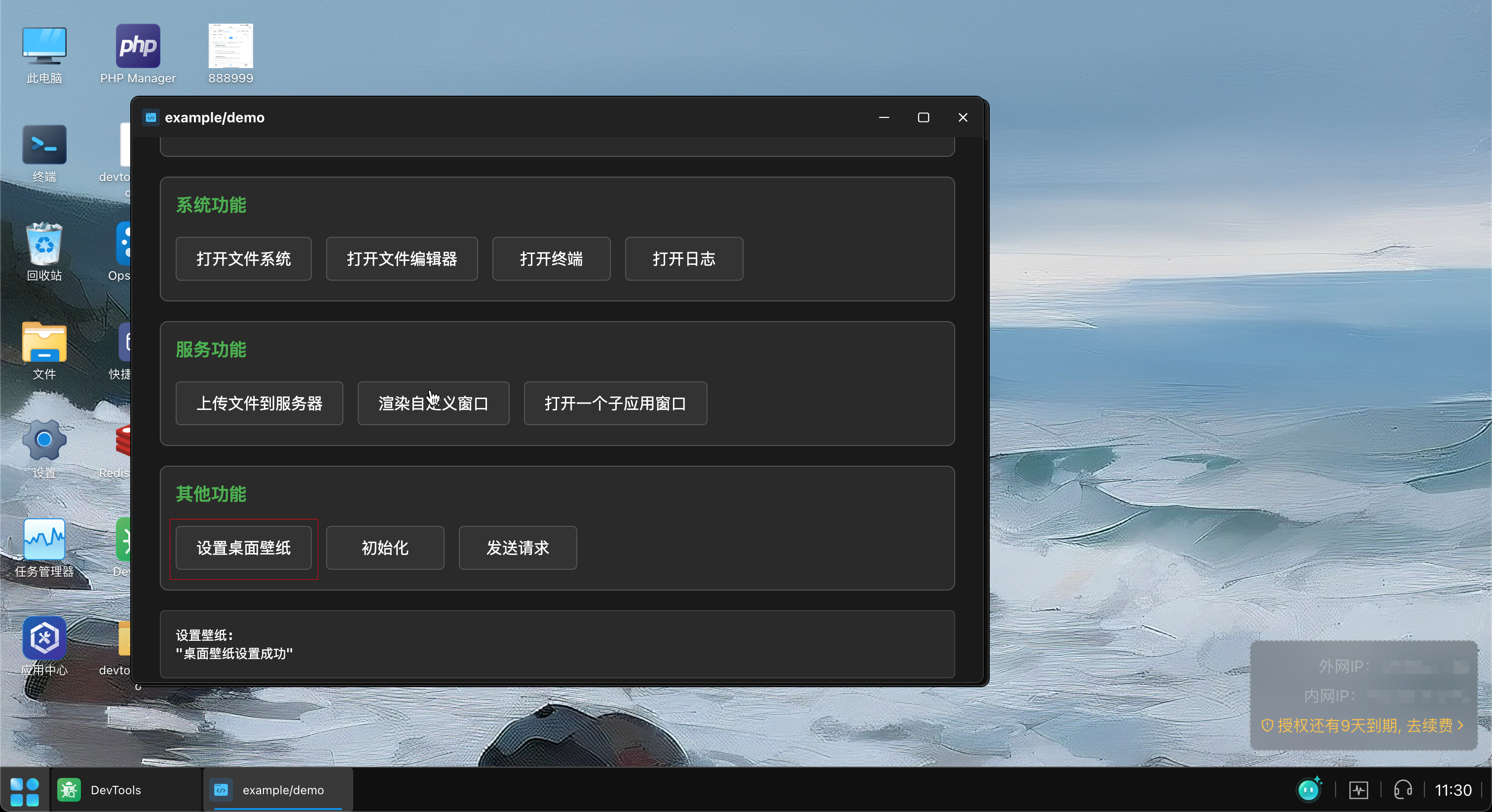
Basic usage:
$gm
  .setDesktopWallpaper(
    "https://example.com/wallpaper.png"
  )
  .then(() => {
    console.log("设置桌面成功");
});| Name | Type | Description |
|---|---|---|
| setDesktopWallpaper | (url: string) => Promise<boolean> | Set the desktop wallpaper; the Promise resolves to true on success |
Initialization
$gm.init calls /api/center/check_status with the name, version and communicationType of the current app, so GMSSH can check whether an app that includes a backend service is available.
Features:
- Ask GMSSH to check the service status of the current app
- Pass the app name, version and communication type to the status check endpoint
- Return the Promise produced by
$gm.request
Initialization flow:
- Read
$gm.name,$gm.versionand$gm.communicationType - Send a POST request to
/api/center/check_status - Resolve or reject the Promise based on the response
When to use:
- Starting a micro-app that includes a backend service
- Checking service status before sending
/api/call/{developer-name}/{app-name}/{method}business requests
Important
An app that includes a backend service must wait for init() to succeed before its first business request. Interface APIs injected directly by the host app, such as message and dialog, do not depend on init() to establish communication.
Basic usage:
try {
  await $gm.init();
  // Send app service requests only after initialization succeeds
} catch (error) {
  console.error("应用服务初始化失败", error);
}| Name | Type | Description |
|---|---|---|
| init | () => Promise<unknown> | Takes no configuration parameters; the Promise resolves with the response of the check_status request |
The SDK does not cache or deduplicate repeated calls. An app usually only needs to call it once at startup; if initialization fails, the app can call it again when the user triggers a retry.
Open a custom window
$gm.renderChildWindow opens a child window managed by GMSSH and loads the given URL in an iframe inside it.
Features:
- Custom window title, icon and content URL
- Optional minimum width and minimum height
- URL content displayed in a separate iframe
When to use:
- Settings and configuration screens
- Help documentation and information windows
- Standalone feature module screens
- Windows for third-party service integrations
- Debugging and development tool windows
Preview: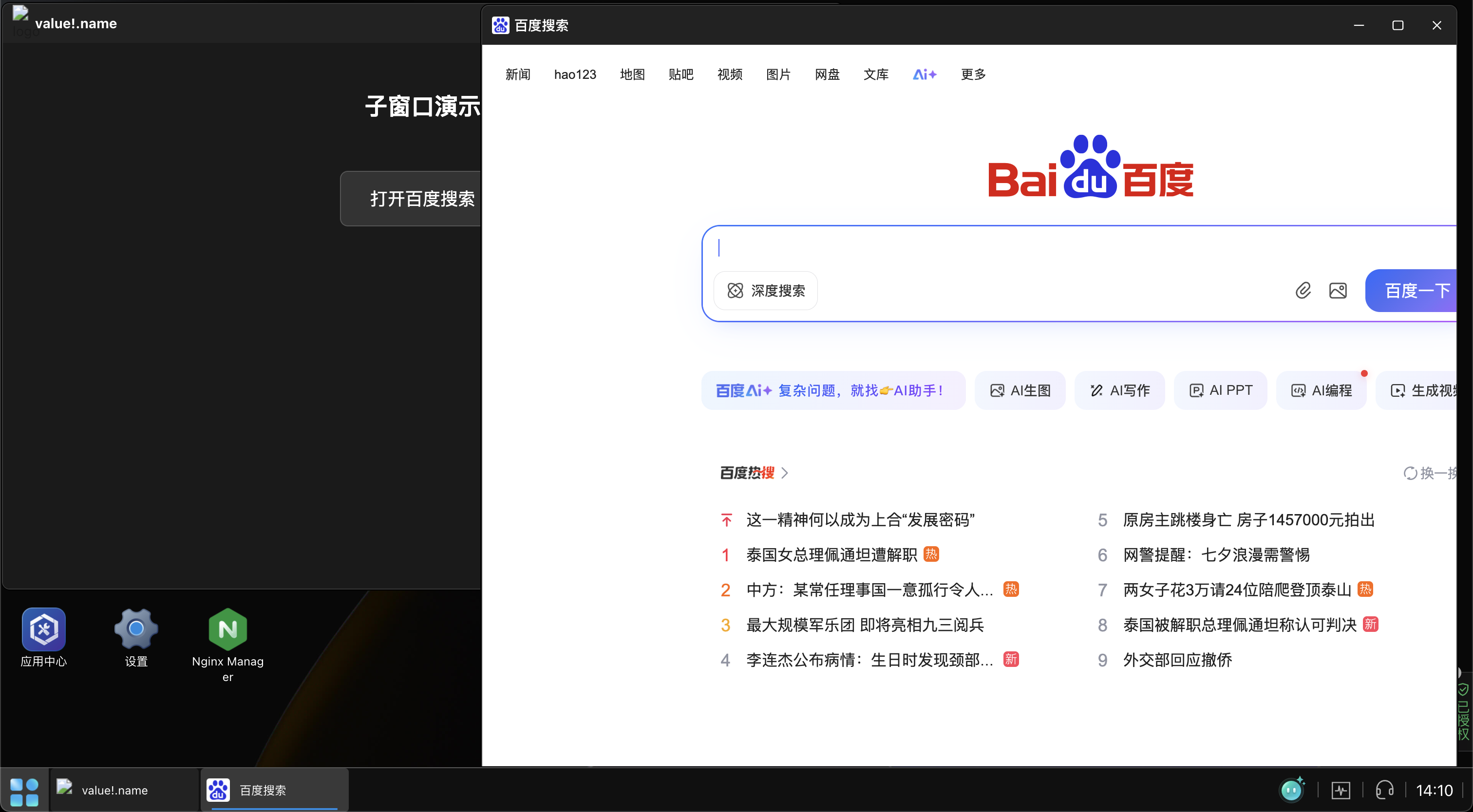
Basic usage:
// Open a window with a remote URL
$gm.renderChildWindow({
  title: "百度搜索",
  url: "https://www.baidu.com",
  minWidth: 1000,
  minHeight: 800,
  icon: "https://www.baidu.com/favicon.ico",
});
Parameters:
| Name | Type | Required | Default | Description |
|---|---|---|---|---|
| title | string | Yes | - | Window title, shown in the title bar at the top of the window |
| url | string | Yes | - | Window content, a remote URL |
| minWidth | number | No | 660 | Minimum window width in pixels |
| minHeight | number | No | 400 | Minimum window height in pixels |
| icon | string | Yes | - | Window icon to display |
Set the app window size
$gm.setAppRectStyle asks the host app to adjust the width or height of the current micro-app window.
Features:
- Width and height can be set together or separately
- Accepts only
numberpixel values - The host app updates the window size as soon as it receives the message
When to use:
- Resize the window dynamically based on the content
- Let users set a custom window size
- Adapt the layout for responsive interfaces
- Adapt to screens of different resolutions
- Optimize the working area
Preview: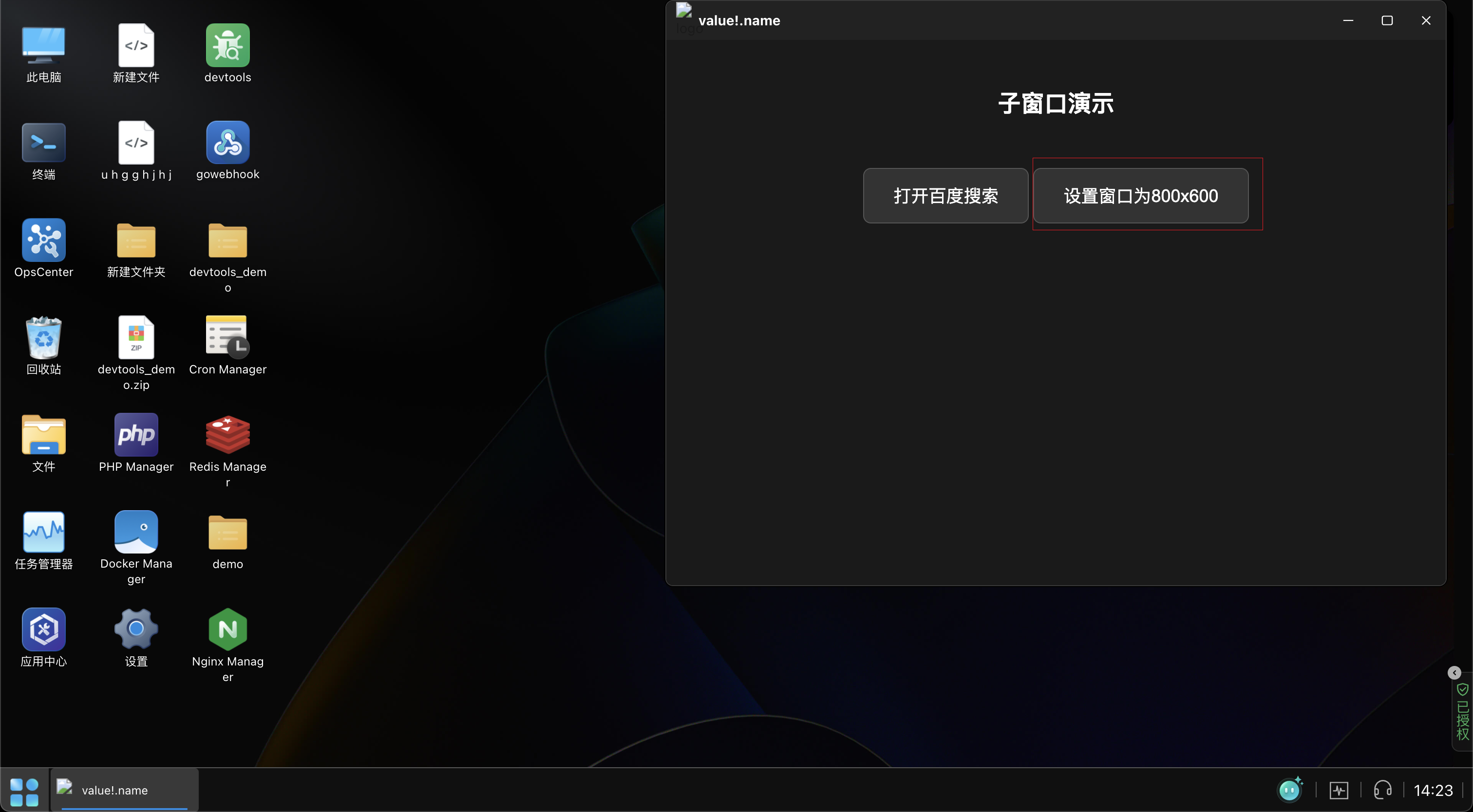
Basic usage:
// Set the window to 800x600
$gm.setAppRectStyle({
  width: 800,
  height: 600,
});

// Adjust the window width only
$gm.setAppRectStyle({
  width: 1000,
});
Parameters:
| Name | Type | Required | Default | Description |
|---|---|---|---|---|
| width | number | No | - | Window width in pixels |
| height | number | No | - | Window height in pixels |
Important limitations
- Pass at least one of
widthorheightfor the call to have any effect. - The host app ignores values that are not greater than the current minimum size threshold.
- The method returns no result; use
childRectListenerto confirm the final size.
Refresh the desktop
$gm.updateDesktop refreshes the desktop. Call it to force the desktop interface to re-render and update when the desktop content changed or when a forced refresh is needed. It reloads desktop icons, updates the layout arrangement and makes sure every visible element is displayed correctly.
Features:
- Refresh desktop icons and layout immediately
- Sync the desktop state
- Re-render desktop components
- No parameters needed; takes effect as soon as it is called
- Lightweight operation with low performance cost
When to use:
- Update desktop icons after installing or uninstalling an app
- Refresh after desktop layout changes
- Sync the desktop display after app state changes
- User-initiated desktop refresh
- Update the desktop after system theme or configuration changes
Basic usage:
// Refresh the desktop
$gm.updateDesktop();
Parameters:
| Name | Type | Description |
|---|---|---|
| updateDesktop | () => void | Refresh the desktop |