
Create App Template
GMSSH Application Development Quick Start
Welcome to the GMSSH Developer World
This guide will take you from zero to quickly mastering the complete GMSSH application development process. Whether you are a frontend developer or a full-stack engineer, you can find the right development path here.
Become a GMSSH Developer
Register Developer Account
To start your GMSSH application development journey, you first need to register a developer account:
Registration Portal
Developer Center: https://www.gmssh.com/developer-center/control-panel
Complete Application Creation Process
Overview
GMSSH provides complete application development lifecycle management, a one-stop solution from creation to deployment:
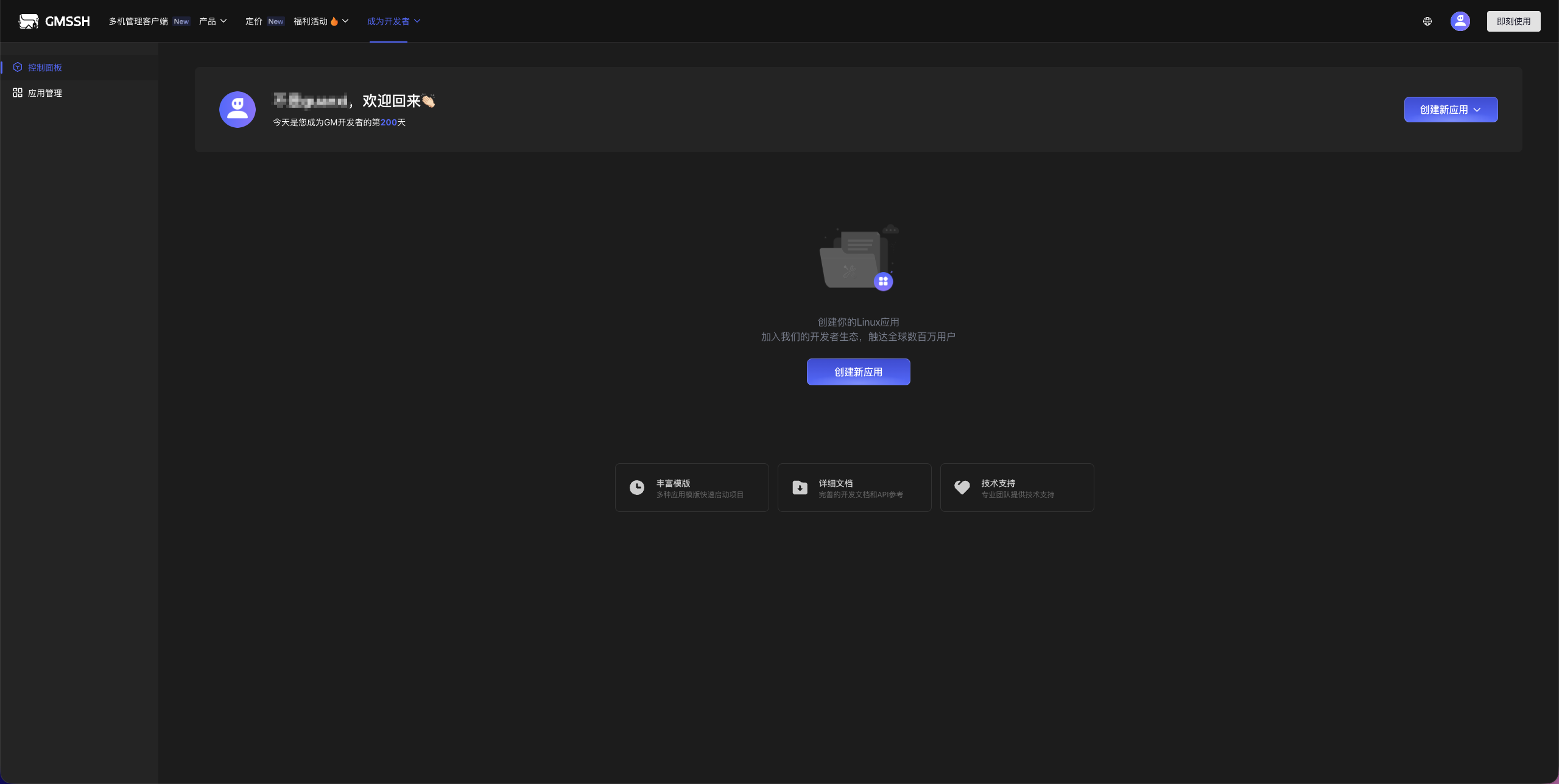
Detailed Steps:
- Visit the Developer Center
- Click the Register button
- Fill in the required information
- Verify your email
- Click Create New Application
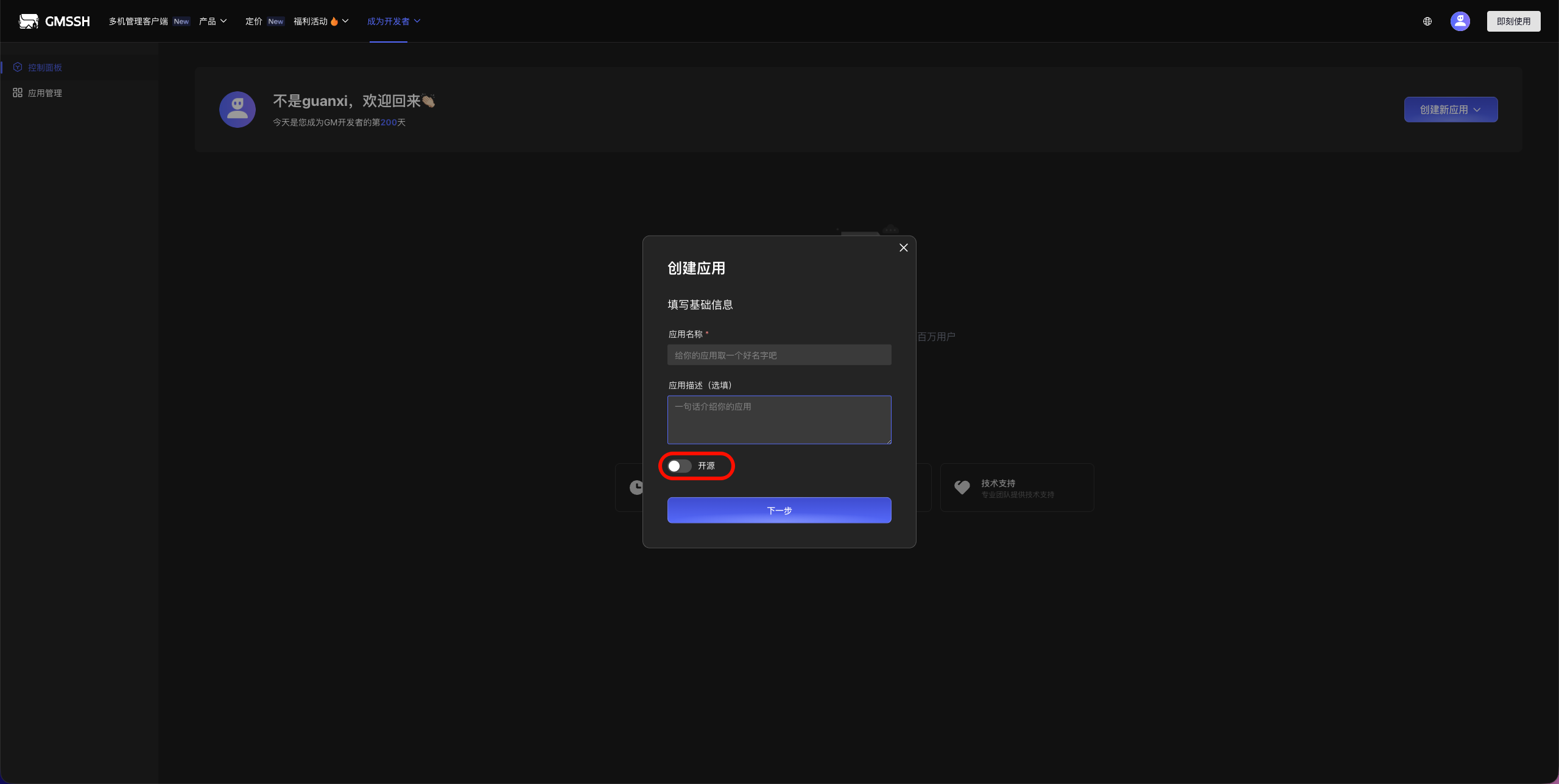
Detailed Steps:
- Select application template
- Fill in application information
- Set application permissions
- Confirm creation
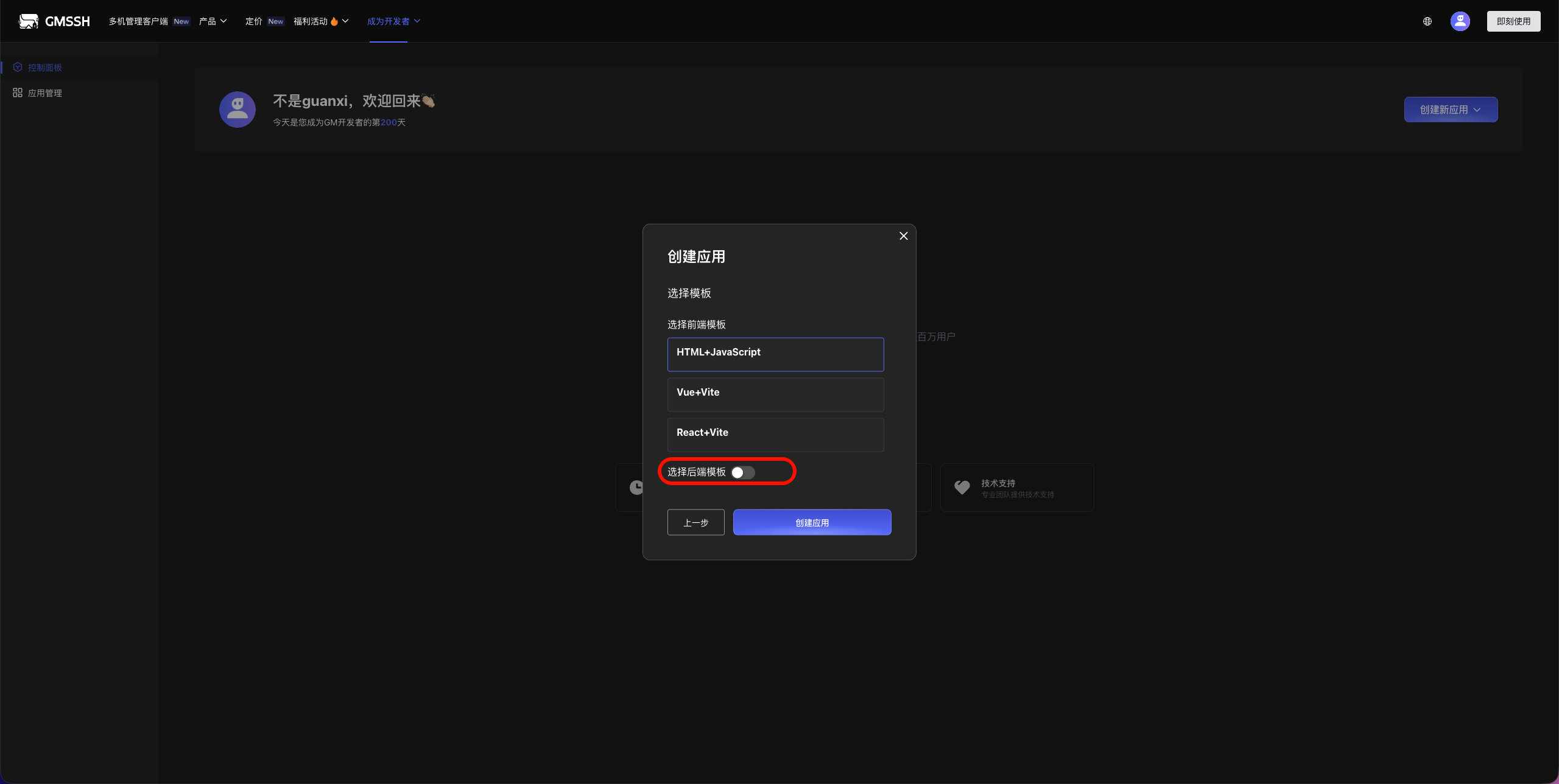
Supported tech stack combinations:
- HTML + JavaScript
- Vue3 + Vite
- React + Vite
- Frontend + Python + GMSSH SDK
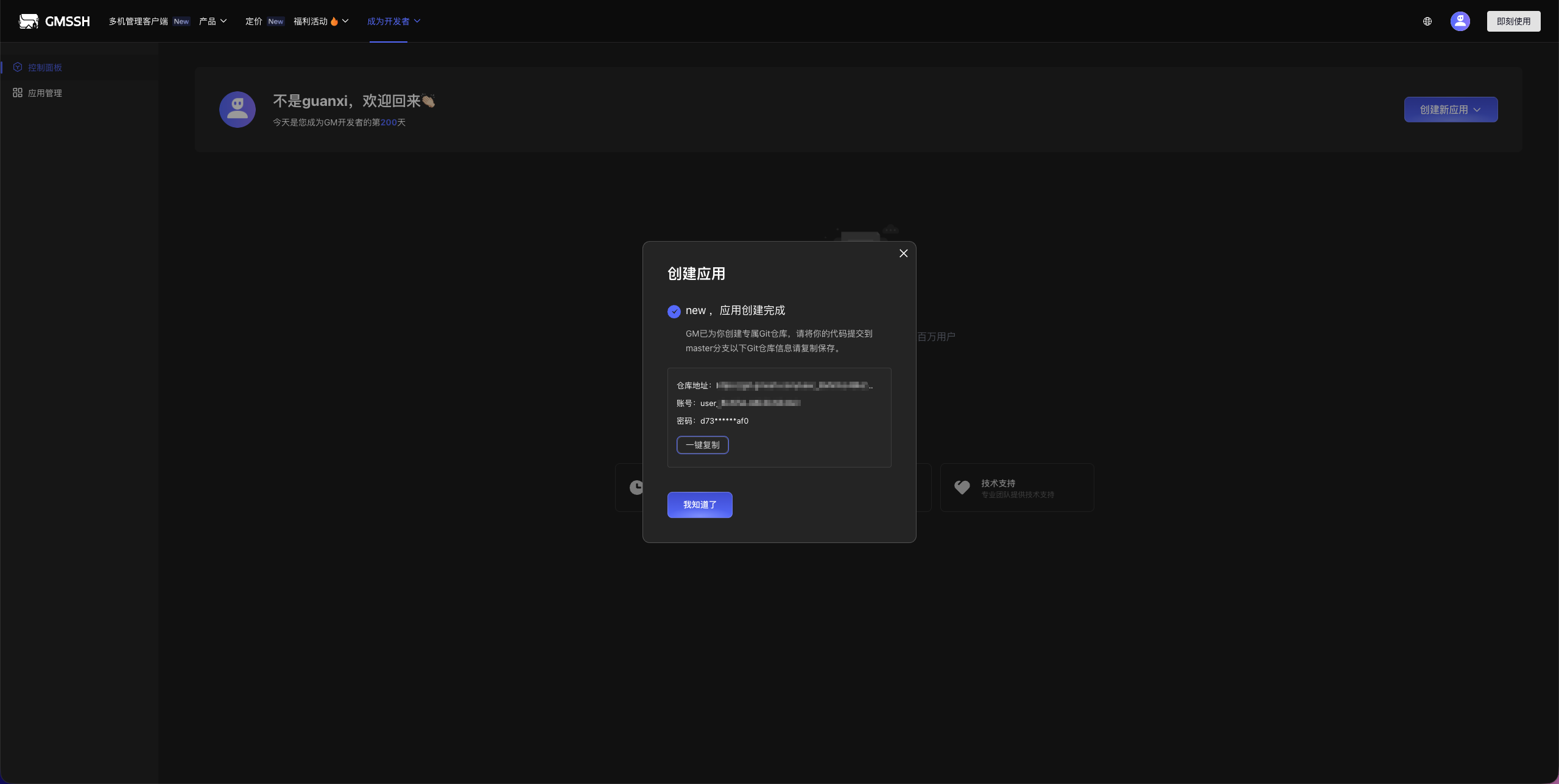
Repository information includes:
- Git repository URL
- Access username
- Access password
- Clone command
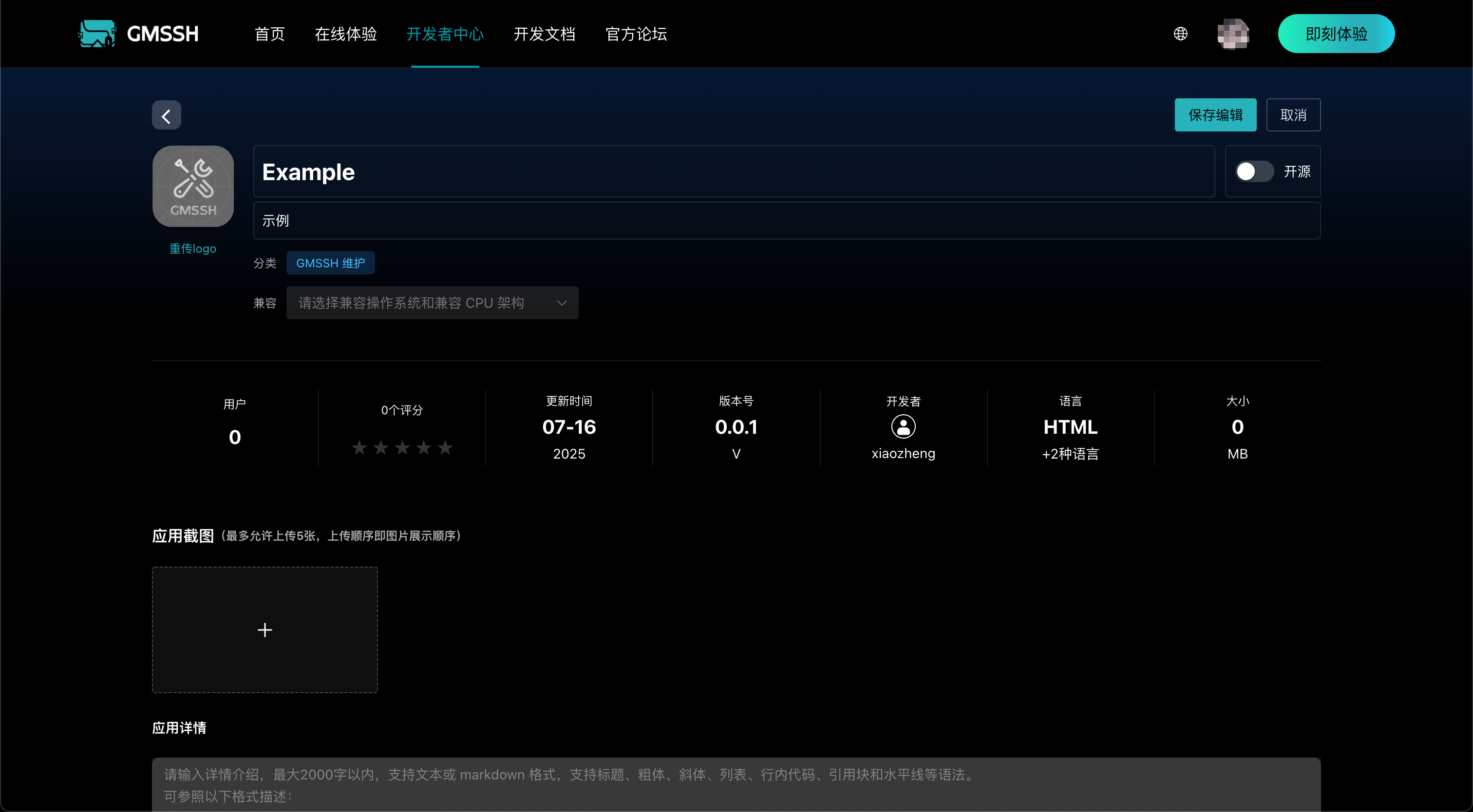
Detailed Steps:
- Click the edit button in the application list
- Complete the basic application information
- Click the save button
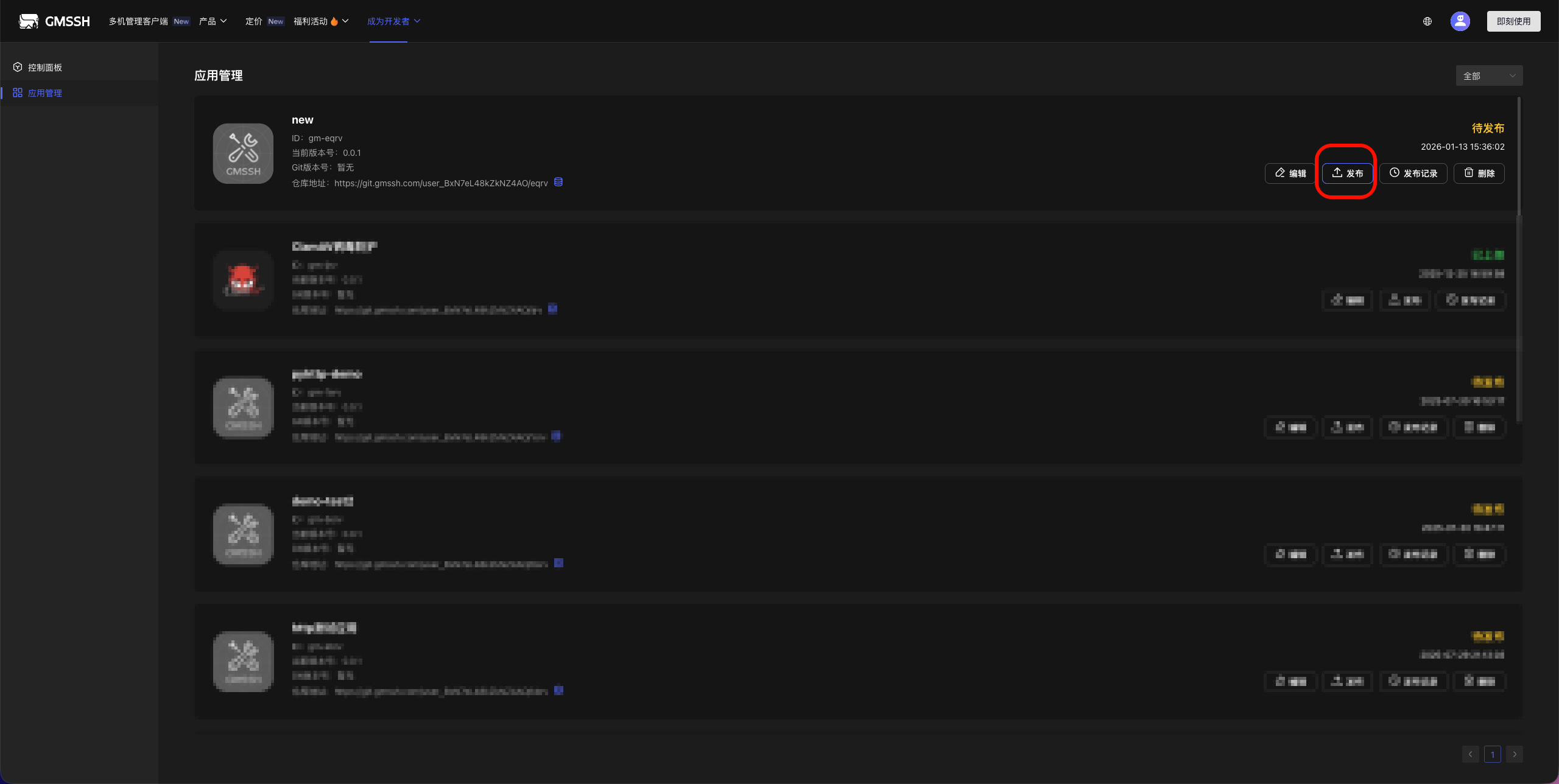
Detailed Steps:
- Application Management
- Select the application you want to release
- Fill in version number and release notes
- After reviewer approval, the app can be installed from the Application Center
Application Scaffolding Modules
The application scaffolding module provides complete frontend and backend development templates, supporting multiple tech stack combinations to help developers quickly start projects.
Frontend Application Templates
HTML + JavaScript
- Native Web development
- Lightweight, suitable for simple applications
- Quick start, no build tools required
Vue3 + Vite
- Modern Vue.js framework
- Fast hot reload development experience
- Complete component-based development support
React + Vite
- Popular React ecosystem
- High-performance build tools
- Rich community resources
Backend Modules
Python + GMSSH SDK
- Based on Unix Domain Socket file communication
- Uses JSON-RPC 2.0 protocol standard
- High-performance local inter-process communication
- Provides complete RPC interface encapsulation
- Supports async calls and batch requests
- Provides complete API interfaces
- Supports high-performance concurrent processing
Python + HTTP (Sanic)
- Based on Sanic async framework
- Lightweight HTTP service
- Suitable for RESTful API development
Quick Start
- Select Frontend Template: Choose the appropriate frontend tech stack based on project requirements
- Select Backend Module: Choose the corresponding backend solution based on functional requirements
- One-Click Generation: Use scaffolding tools to quickly generate project structure
- Start Development: Develop business logic based on the generated template
Selection Recommendations:
- Beginners: HTML + JavaScript recommended
- Frontend Developers: Vue3 + Vite recommended
- Full-Stack Developers: Vue3 + Python + GMSSH SDK recommended
Tech Stack Description
GMSSH SDK is a lightweight development toolkit built on Unix Domain Socket (file socket) and JSON-RPC 2.0 protocol. It performs efficient inter-process communication through the local file system, providing low-latency, high-performance data transmission capabilities, supporting async calls and event-driven development patterns.
Important Notice
HTTP service interface response time must be controlled within 10 seconds; timeout will cause request failure.