
Create Debug Application
Create Debug Application
This document provides detailed instructions on how to create and configure debug applications on the GM platform, helping developers quickly set up their development environment.
Operation Steps
Step 1: Download Application
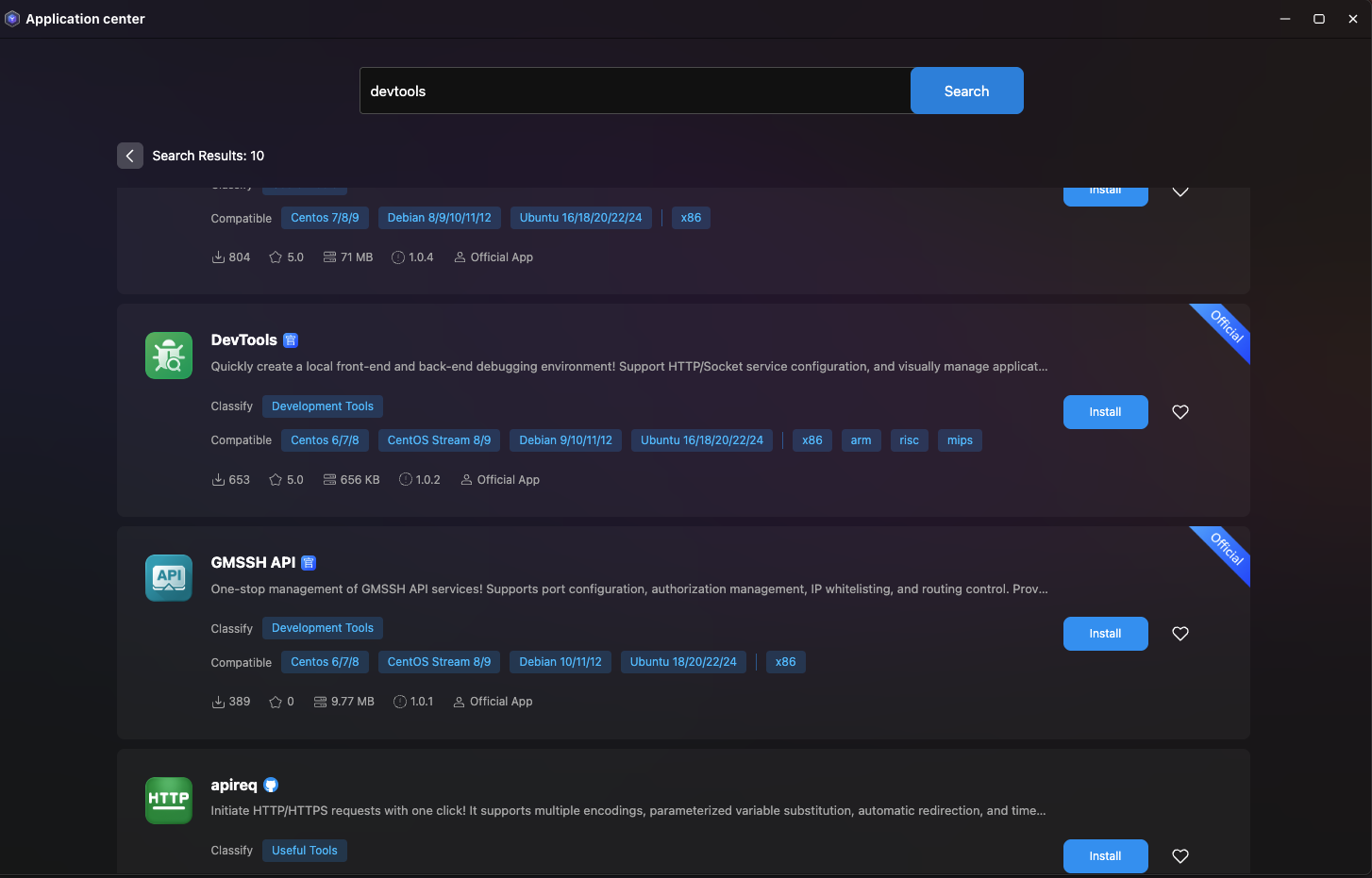
Detailed Operation Process
Visit Application Center
- After logging into the GM platform, click "Application Center"
Search for DevTools Application
- Enter
devtoolsin the search box - The system will automatically filter related applications
- Enter
Download and Install
- Click the "Install" button
Step 2: Create Debug Application
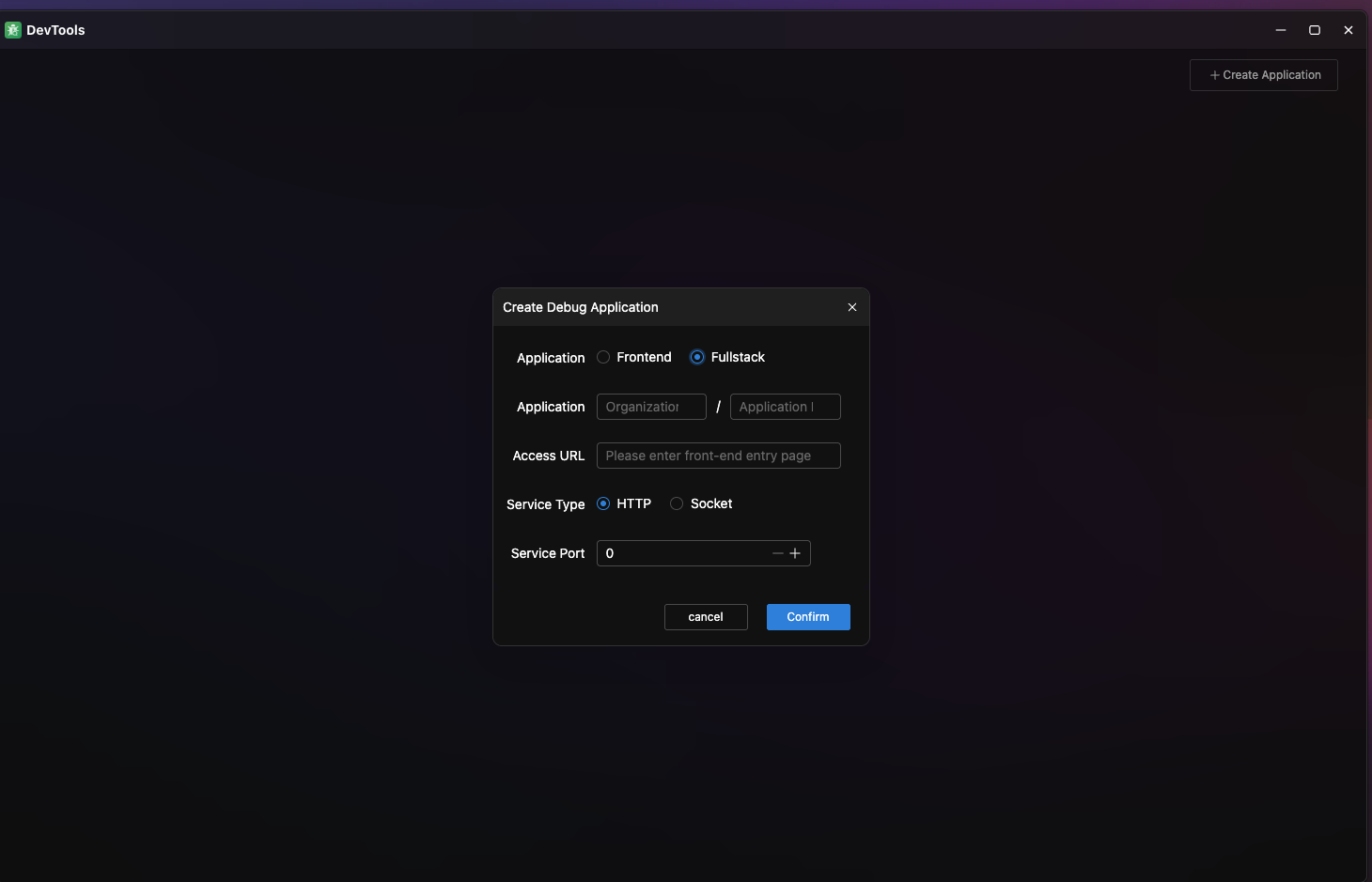
Application Type Selection
Frontend Application
Suitable for pure frontend projects, such as Vue, React, Angular single-page applications.
Full-stack Application
Includes frontend and backend services, supporting the following backend types:
| Service Type | Use Case | Configuration Requirements |
|---|---|---|
| HTTP | REST API, Web services | Specify port number (e.g., 8080, 3000) |
| Socket | Real-time communication, long-connection services | Specify Socket file path |
Configuration Parameter Details
Application Name Specification
Format requirement: org-name/app-name
Examples:
- ✅
mycompany/frontend-app - ✅
team-alpha/api-service - ❌
myapp(missing organization name) - ❌
my company/app(contains spaces)
Port Configuration
HTTP service port:
- Recommended port range: 3000-9999
- Avoid system reserved ports (e.g., 80, 443, 22)
- Ensure the port is not occupied by other services
Socket file path:
- Use absolute path (e.g.,
/tmp/app.sock) - Ensure the directory has write permission
- Recommend using
/tmpor/var/rundirectory
Step 3: Manage Applications
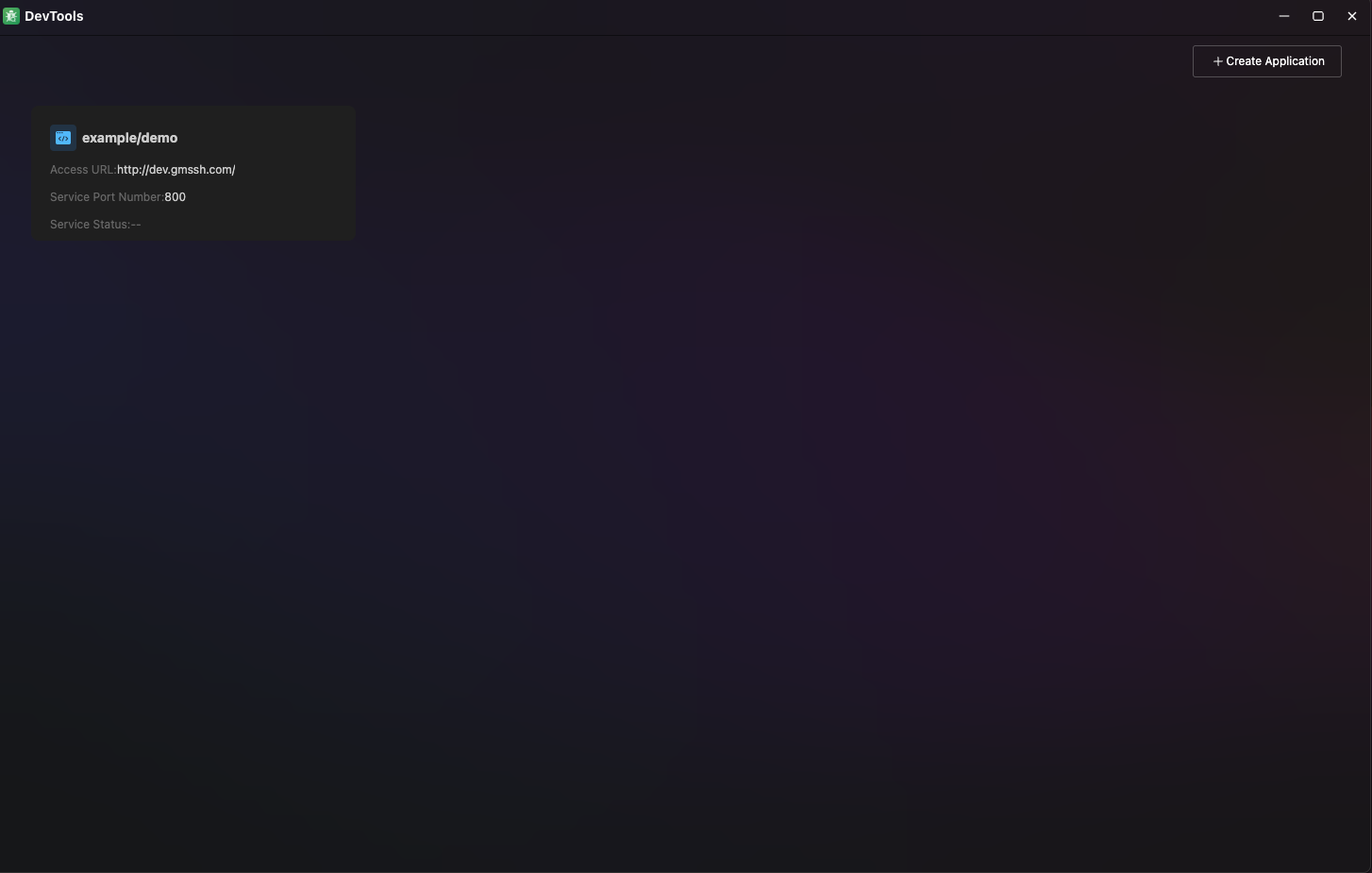
Application Status Monitoring
After creation, you can view the status information of all applications on the DevTools homepage:
- Basic information of the debug application
- If there is a backend service, you can view the backend service status
Best Practices
Naming Conventions
- Organization Name: Use team or company identifier
- Application Name: Concise and clear, reflecting application functionality