
Application Access Process
Application Access Process
This article provides detailed instructions on how to access backend interfaces, including the complete process of interface testing and frontend integration.
Overview
After you complete the test application creation and start the backend service, the GA service will automatically perform health checks on your developed application.
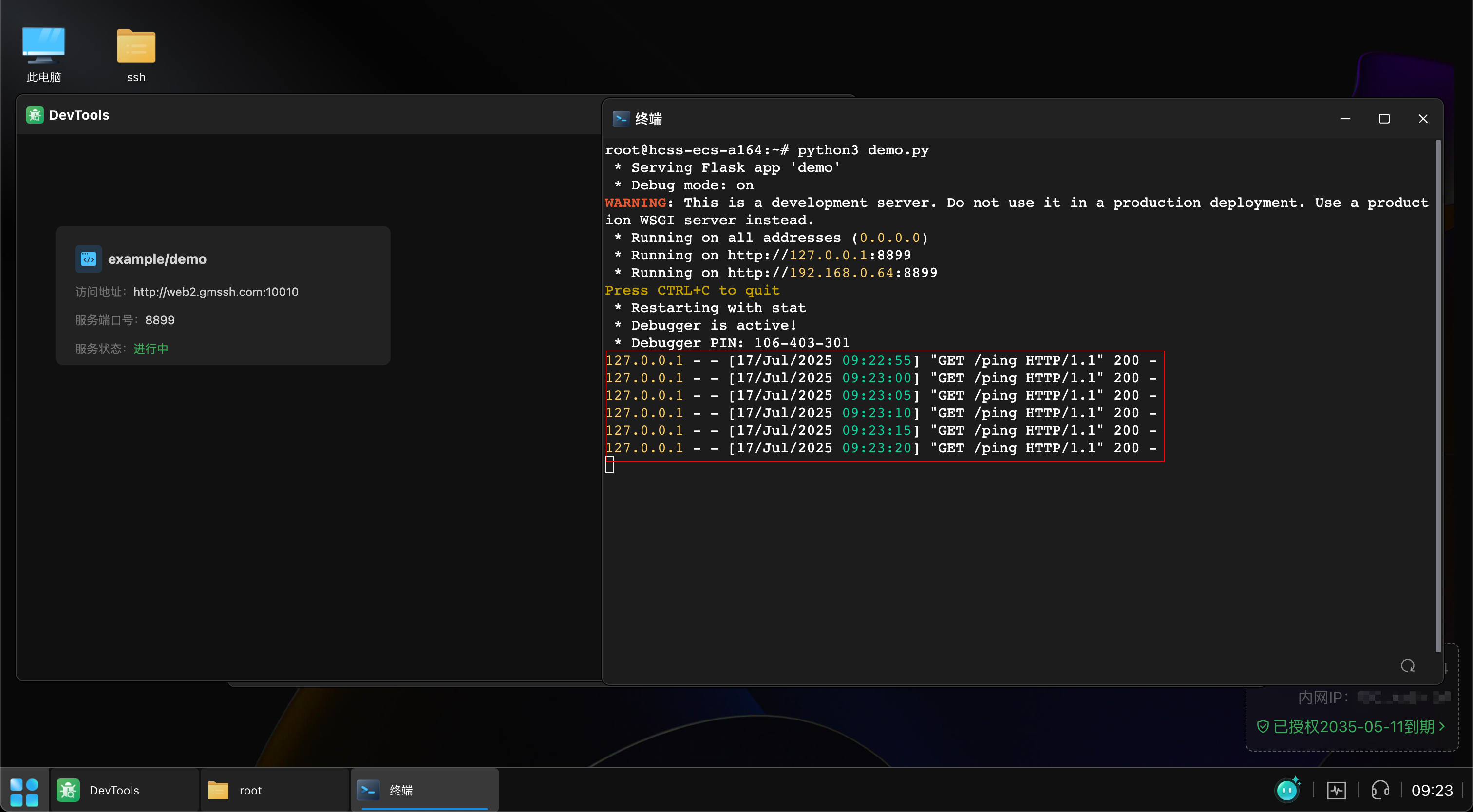
Backend Service Example
Here is a backend service example using the Python Flask framework:
from flask import Flask, jsonify

app = Flask(__name__)

@app.post("/hello")
def hello():
    return jsonify(code=200, data="hello world!", msg="OK")

@app.get("/ping")
def ping():
    return jsonify(code=200, data="ping", msg="OK")

if __name__ == "__main__":
    app.run(host="0.0.0.0", port=8899, debug=True)
Interface Description
This example contains two interfaces:
/ping- Health check interface for service status monitoring/hello- Business interface for demonstration
Interface Testing
Below we use the Apifox tool to test the /hello interface:
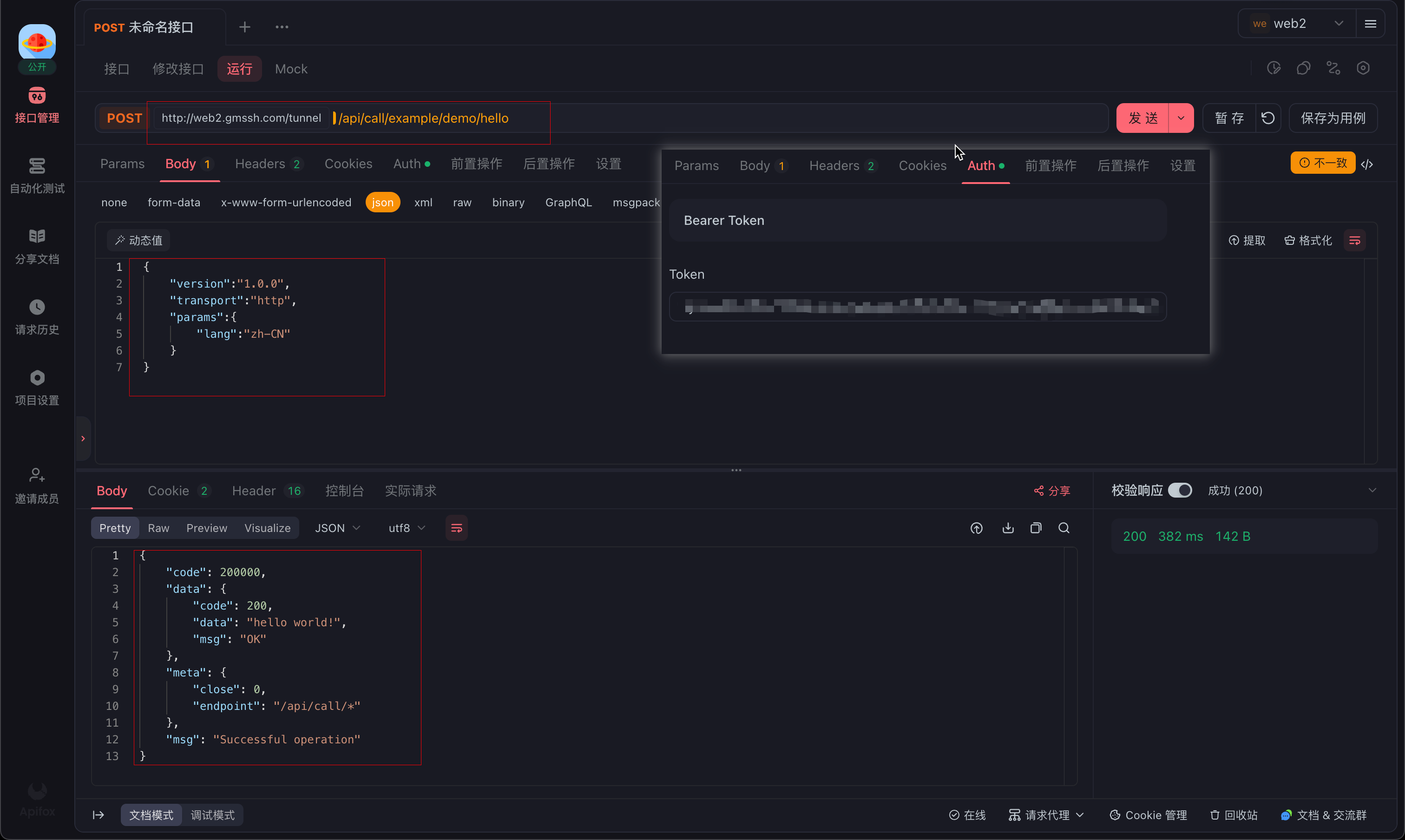
Request Parameter Specification
Standard request parameter format:
{
    "version":"1.0.0",
    "transport":"http",
    "params":{
        "lang":"zh-CN"
    }
}
Parameter Description
| Parameter | Type | Required | Description |
|---|---|---|---|
version | String | Yes | Request version number, fixed as 1.0.0 during debugging |
transport | String | Yes | Transport protocol type, supports http and socket |
params | Object | No | Business parameters, specific parameters sent to external application |
Transport Protocol Types
http- For HTTP/HTTPS servicessocket- For Socket services
Note
- Protocol type must match the backend service type, otherwise the service will be inaccessible
- Currently only
httpandsocketprotocols are supported
Authentication Requirements
Important
Please ensure to carry a valid Token for identity authentication when accessing interfaces. You can get the token from the browser's developer tools.
URL Access Specification
Interface access address format:
http://web2.gmssh.com/tunnel/api/call/{org-name}/{app-name}/{interface-path}URL Component Description:
example/demo- The application name filled in when creating the DevTools applicationhello- The interface path defined in the backend code
Note
Ensure the application name exactly matches the name filled in during creation, case-sensitive.
Frontend Access to Backend Service
Prerequisites
When accessing backend interfaces from frontend, ensure:
- Frontend service has started normally
- GM SDK has been properly imported
- Network connection is normal
Access Effect
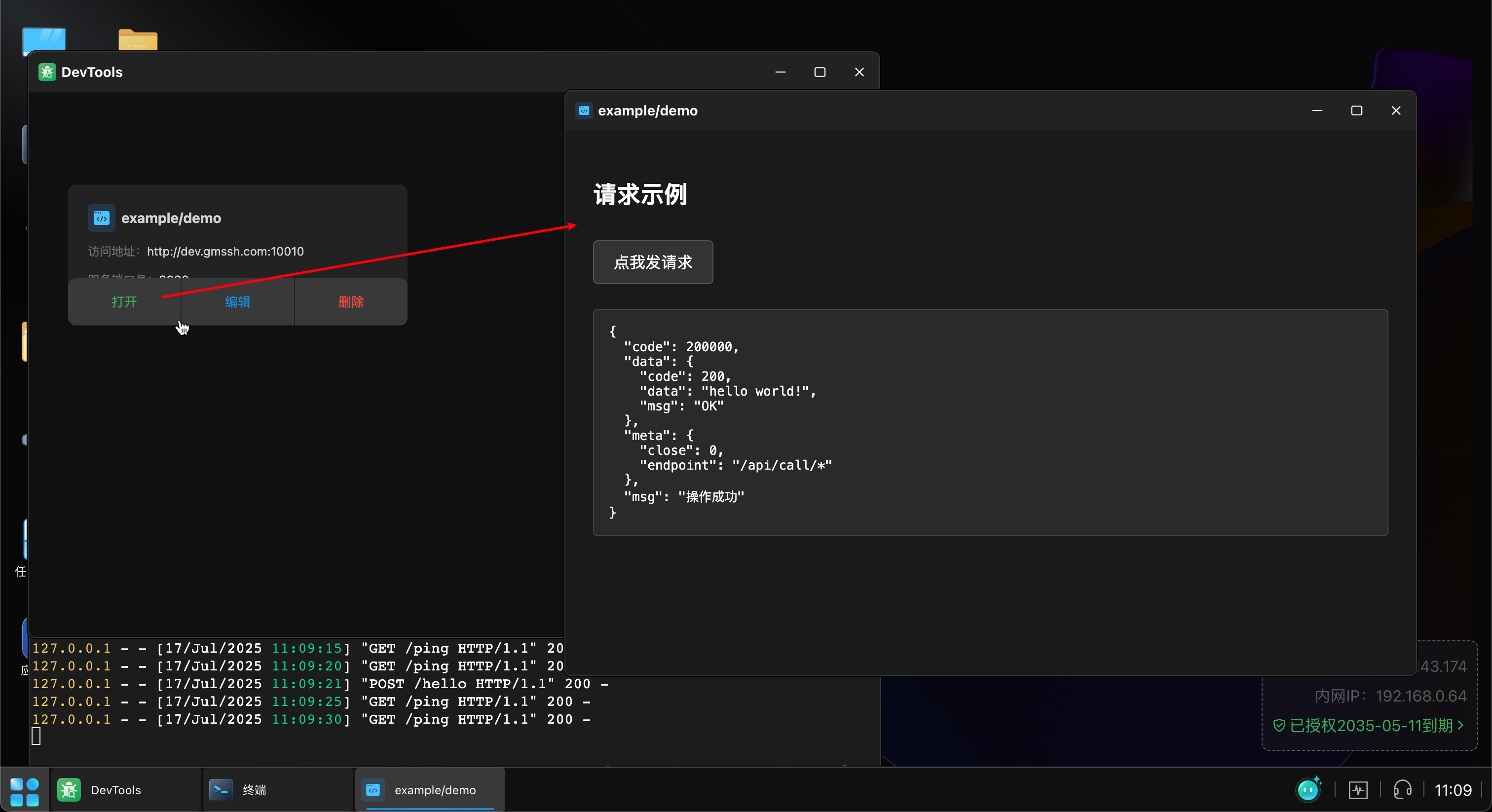
Code Example
Here is a complete frontend integration example showing how to use GM SDK to call backend interfaces:
<!DOCTYPE html>
<html lang="en">
<head>
  <meta charset="UTF-8" />
  <title>GM SDK Demo</title>
  <!-- 1. Import the SDK provided by GM -->
  <script src="https://down-gmb.oss-cn-zhangjiakou.aliyuncs.com/appWebJs/gmAppSdk.js"></script>
  <style>
    body {
      background-color: #1a1a1a;
      color: white;
      font-family: Arial, sans-serif;
      padding: 20px;
    }
    button {
      background-color: #333;
      color: white;
      border: 1px solid #555;
      padding: 10px 20px;
      border-radius: 5px;
      cursor: pointer;
      font-size: 16px;
      margin: 10px 0;
    }
    button:hover {
      background-color: #555;
    }
    pre {
      background-color: #2a2a2a;
      color: white;
      padding: 15px;
      border-radius: 5px;
      border: 1px solid #444;
      white-space: pre-wrap;
      word-wrap: break-word;
      margin-top: 15px;
    }
  </style>
</head>
<body>
  <h2>Request Example</h2>
  <button id="btn">Click to Send Request</button>
  <pre id="result"></pre>
  <script>
    // 2. Call backend interface when button is clicked
    document.getElementById("btn").addEventListener("click", () => {
      // Use GM's wrapped axios instance to make POST request
      $gm
        .request("/api/call/example/demo/hello", {
          method: "POST",
          data: {
            "version": "1.0.0",
            "transport": "http",
            "params": {
              "lang": "zh-CN"
            }
          },
        })
        .then((res) => {
          // 3. Print the result
          document.getElementById("result").textContent = JSON.stringify(res, null, 2);
        })
        .catch((err) => {
          document.getElementById("result").textContent = "Request failed:\n" + err;
        });
    });
  </script>
</body>
</html>
Core Function Description
- SDK Import - Import GM's official SDK via CDN
- Interface Call - Use
$gm.request()method to make requests - Parameter Passing - Pass
version,transport, andparamsparameters in standard format - Result Handling - Handle success and failure response results
Best Practices
Development Suggestions
- In production environment, it's recommended to add more comprehensive error handling mechanisms
- You can customize UI styles and interaction effects according to actual needs
- It's recommended to validate request parameters to ensure correct data format
Access Flow Diagram
The complete system access flow is shown below:
Flow Description
- Frontend Request: User operates on frontend interface, initiates API request
- GS Service Processing: Gateway service receives frontend request
- GA Service Routing: Application gateway service performs request analysis and routing
- Application Identification & Validation:
- Determine target application based on user access information
- Validate application version compatibility
- Verify backend service type and port configuration
- External Application Processing: Forward request to corresponding external application for business processing
- Response Return: Processing result returns along the original path to frontend for rendering